VAHAN Vehicle Details and Insurance: What the Database Holds and What You Can Access for Free
16 July, 2026
RTO
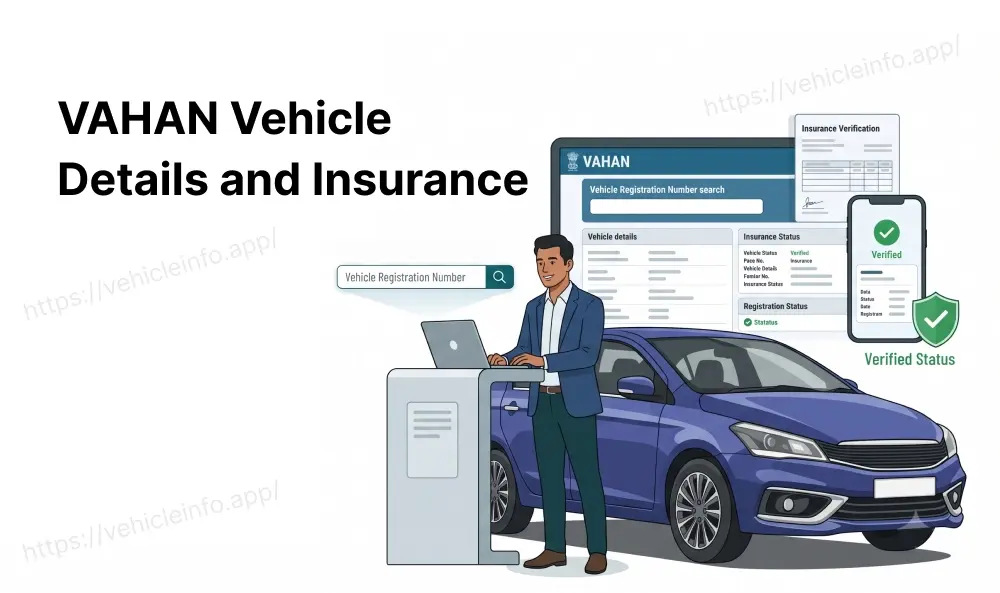
Every registered vehicle in India sits inside one government database. It is called VAHAN, and it holds the registration record, the ownership history, the fitness status, and the insurance details of your car or bike. Most people only think about VAHAN when they need to check a vehicle before buying it secondhand, or when they want to confirm their own insurance is showing up correctly. If you have ever typed check vehicle details VAHAN India into a search bar hoping for a fast answer, this guide is exactly what you need. It explains what VAHAN vehicle details actually cover, what you can see for free, and what stays private.
What Is VAHAN 4.0? The National Vehicle Registry
VAHAN is the national vehicle registration database maintained by the Ministry of Road Transport and Highways. It was built to connect every RTO in the country to one system, so a car registered in Chennai and a bike registered in Patna both sit inside the same national record. The current version, VAHAN 4.0, replaced the older state-by-state setup and gave India its first real-time, pan-India view of every registered vehicle.
Before VAHAN 4.0, each state kept its own vehicle records, and checking a vehicle from another state meant contacting that state's RTO directly. Today, a single search on the VAHAN portal or the mParivahan app pulls up VAHAN vehicle details for almost any registered vehicle in the country, regardless of which state issued the registration.
Insurance companies, RTOs, traffic police, and courts all rely on this system. When your insurer issues a policy, that record eventually flows into VAHAN. When a traffic officer checks your papers at a signal, they are often looking at the same VAHAN insurance data you could pull up yourself from your phone.
What Data Does VAHAN Store for Every Vehicle
VAHAN 4.0 vehicle data is organised into a few clear categories. Understanding these helps you know exactly what a quick search will and will not tell you:
Registration Details
These are some of the most searched options on the VAHAN portal and include details like registration number, registration date, the RTO where the vehicle was registered as well as chassis and engine number, along with vehicle class, fuel type, manufacturer, and model. This is the same information printed on your Registration Certificate (RC), just stored digitally.
Owner Info
VAHAN holds the name of the registered owner, along with a record of any ownership transfers the vehicle has been through. For privacy reasons, a public search shows the owner's name in a partially masked format rather than the complete name and address.
Fitness and Permit
For commercial vehicles, VAHAN tracks the fitness certificate status and permit validity. This is how RTOs and enforcement officers confirm a taxi, truck, or bus is legally allowed on the road. Private vehicles also carry a fitness record, though the renewal cycle is far less frequent.
Insurance
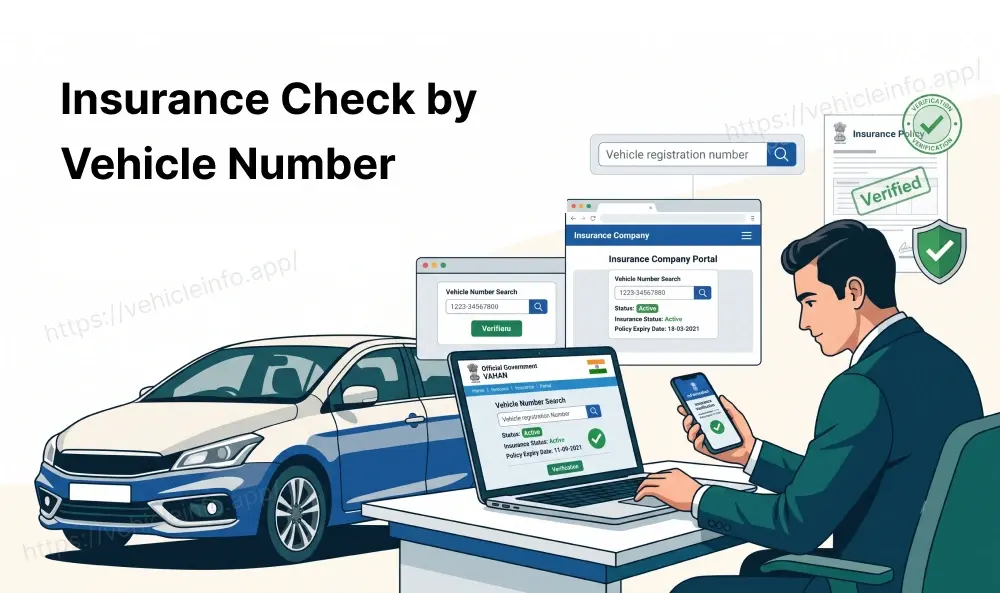
This is the field most people search for. VAHAN stores the current insurer name, the policy number, and the policy's validity dates. This is what makes it possible to check vehicle details on VAHAN in India and instantly know whether a car or bike is currently insured, without calling the owner or the insurance company.
Information That Can Be Accessed on VAHAN Without Login
A basic VAHAN free check does not need an account. Anyone can go to the VAHAN citizen services page and click on the Know Your Vehicle Details option on the Parivahan portal, type in a registration number, complete a captcha, and see a summary that typically includes:
- Vehicle make, model, and fuel type
- Registration date and the RTO of registration
- Registered owner's name (partially masked)
- Fitness and insurance validity status (usually shown as valid or expired, sometimes with the insurer's name)
- Pollution Under Control Certificate (PUC) status
This is the level of VAHAN insurance data most people need. If you are buying a used bike, a quick check of vehicle details on the VAHAN India portal search gives you a free way to confirm it has valid cover before you commit to the deal, and this basic search usually answers the question.
What Requires RTO Authentication or a Paid Query
Some VAHAN vehicle details sit behind a login or a small fee, mainly to prevent misuse and protect owner privacy. These include:
- The full, unmasked name and address of the owner
- A complete ownership transfer history with dates
- Hypothecation (loan) details showing which bank or financier has a claim on the vehicle
- Detailed challan history tied to the registration number
- Bulk or API access, which insurers, banks, and fleet operators use to pull VAHAN data at scale
RTO officials, police, and authorised institutions such as insurers and NBFCs get a deeper, authenticated view through their own secured logins. This is different from the citizen-facing search, which is intentionally limited to protect personal information while still giving buyers and the public enough to verify a vehicle before a transaction.
How Insurance Data Gets into VAHAN: Insurer Integration
A natural question is how VAHAN even knows your insurance details in the first place. You do not manually upload your policy. Instead, insurance companies are integrated with VAHAN and feed policy data directly into the system whenever a policy is issued, renewed, or cancelled.
This integration also connects to the Insurance Information Bureau (IIB), a central repository that aggregates policy data across insurers. VAHAN and IIB work together so that when you search a registration number, the system can confirm insurance status without you needing to contact your insurer or carry a physical document.
This is also why the VAHAN vehicle details and insurance system matter for compliance. Since the data comes directly from insurers rather than from the vehicle owner, it is difficult to fake or manually alter what shows up during a police check or an online search.
How Current Is the VAHAN Insurance Record?
This is where people run into confusion. VAHAN insurance data is not always updated the second you buy a policy. Depending on the insurer and how quickly they push data to the central system, there can be a lag of a few days, and in some cases longer, before a fresh policy shows up in a VAHAN search.
If you just bought or renewed your insurance and a VAHAN check still shows it as expired, this delay is usually the reason rather than an actual problem with your policy. Keeping your physical or digital policy document handy for a short window after purchase is a sensible precaution, especially if you are likely to be stopped for a routine check.
Using VAHAN Data for Insurance Compliance Checks
Because VAHAN pulls insurance status directly from insurers, it has become the default way to confirm compliance in a few common situations:
- Before buying a used car or bike, to confirm the seller's claim about active insurance
- Before a long drive, to double-check your own policy is current
- For employers who need to verify that a company vehicle or a driver's vehicle carries valid insurance
- For traffic enforcement, where officers cross-check a registration number against VAHAN instead of demanding a physical certificate
This is one of the more practical uses of VAHAN vehicle details for the average vehicle owner. It turns what used to require a phone call to your insurance agent into a thirty-second search.
Checking VAHAN Vehicle Details on Mobile
Most people today check vehicle details through their phone rather than a desktop browser. The mParivahan app, built by the same ministry that runs VAHAN, mirrors the citizen portal's search function. You enter a registration number, and it returns the same core VAHAN 4.0 vehicle data you would see on the website: registration information, fitness status, PUC validity, and insurance details.
This matters in practical situations. If you are standing at a used bike dealer, running a check of vehicle details on mParivahan confirms the seller's claim about insurance before handing over cash, far more reliably than taking their word for it. The same applies to roadside traffic checks as well. If a traffic officer questions your insurance status and your physical documents are not handy, showing them a live VAHAN search result through mParivahan is often accepted as valid proof, since the data is pulled directly from the same government system officers themselves use.
Privacy Protections: What VAHAN Does Not Reveal Publicly
Despite offering a free, easy way to check vehicle details, VAHAN is built with privacy limits in mind. A public search will not show:
- The owner's complete residential address
- The owner's phone number or email
- Full bank or financier details tied to a vehicle loan
- Any data for vehicles that the system considers sensitive, such as certain government or diplomatic vehicles
This balance exists so that the general public and used vehicle buyers get enough information to verify a vehicle honestly, without turning VAHAN into a tool for tracking down individuals. If you need deeper details for a legitimate reason, such as a legal dispute or an insurance claim investigation, that access goes through the RTO or the insurer directly, not through the public portal.
FAQs
1. Is VAHAN free to use for checking vehicle details?
Ans: Yes. The basic search on the VAHAN citizen portal and the mParivahan app is a genuine VAHAN free check. You do not pay to look up registration, fitness, or insurance status for a vehicle.
2. Can anyone check VAHAN details for free, or do I need to be the owner?
Ans: Anyone can run a basic search using just the registration number. You do not need to be the registered owner, which is exactly what makes VAHAN useful for verifying a vehicle before buying it secondhand.
3. What information is stored under VAHAN database?
Ans: Registration details, owner name (masked in public search), fitness and permit status for commercial vehicles, and insurance data including insurer name and policy validity. In short, a standard VAHAN insurance and owner details by vehicle number search covers almost everything a buyer or a compliance officer needs.
4. Does VAHAN show the owner's full address?
Ans: No. Public searches mask the owner's name and never display the full address, phone number, or email to protect individual privacy.
5. How do I check vehicle details on VAHAN in India?
Ans: Visit the VAHAN citizen services page or open the mParivahan app, enter the vehicle's registration number, complete the CAPTCHA, and the summary will appear on the screen.
6. Why does VAHAN show my insurance as expired right after I renewed it?
Ans: This is almost always a data sync delay. Insurers push policy updates to VAHAN, and this can take a few days to reflect. If your renewal is genuine, it should update shortly.
7. Can I see who previously owned a used car through VAHAN?
Ans: A basic public search does not show a detailed ownership transfer history. That level of detail typically requires an authenticated RTO query.
8. Does VAHAN show insurance and owner details together when I search by vehicle number?
Ans: Yes, a standard search returns them in one result: vehicle details, masked owner name, fitness status, and insurance validity all in a single summary.
9. Is VAHAN data the same as what traffic police see?
Ans: Largely yes for insurance and fitness status, though police access is authenticated and can pull additional details, such as pending challans, that is not always visible in the public search.
10. Can I use VAHAN to check a commercial vehicle's fitness certificate?
Ans: Yes. Fitness and permit status are core fields in the VAHAN database, particularly important for commercial and transport vehicles.
11. What if my vehicle does not show up on VAHAN at all?
Ans: This usually happens with very old vehicles registered before digitisation was complete. In that case, you may need to contact your RTO directly to have the record updated.
12. Can insurers or banks pull VAHAN data automatically?
Ans: Yes. Authorised insurers, banks, and NBFCs connect to VAHAN through secured integration rather than the public search, which is how real-time insurance verification and loan hypothecation checks work at scale.