Verify Vehicle Insurance by Vehicle Number: Parivahan and Online Methods Explained
24 June, 2026
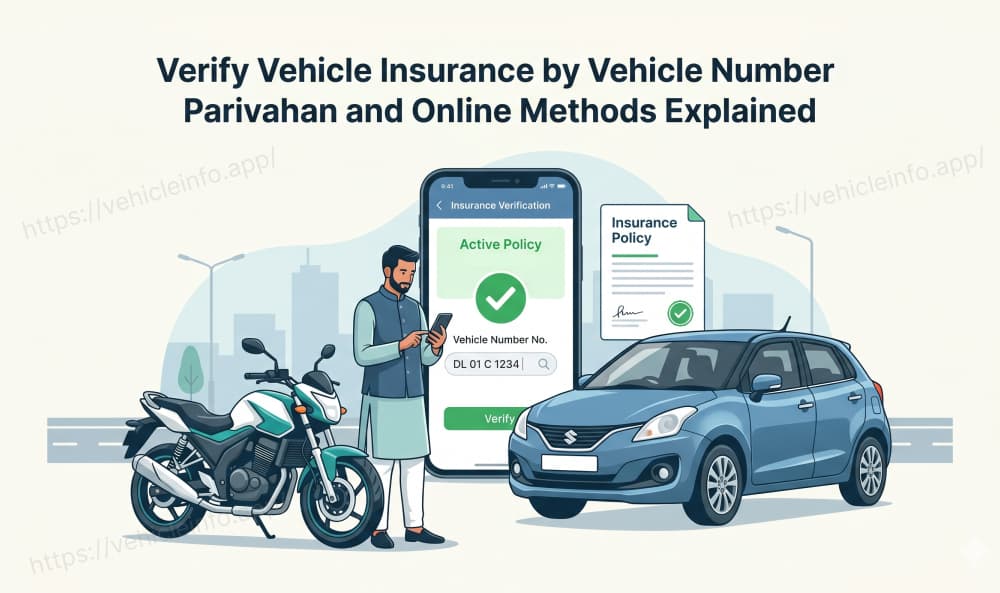
You can run a vehicle insurance status check online for any vehicle in India using nothing more than its registration number. No login to a private account, no policy document, no call to an insurer. The government has made vehicle insurance records publicly searchable, and a few official portals let you verify insurance by vehicle number in under a minute.
These situations are serious in real life. You could be purchasing a pre-owned vehicle and wish to verify that the seller's statements are truthful, or you could have been involved in an automobile collision and require the other driver's insurance information. Verification is also important simply to verify that your insurance coverage is accurately displayed in the database of the insurance authority prior to completing a lengthy journey. In each of these examples, the ability to use a vehicle registration number to verify insurance status eliminates an uncertain guess and provides you with a definitive answer.
Additionally, by doing a vehicle insurance check, you can avoid hefty penalties associated with driving without insurance, allowing you to ascertain whether or not you have insurance coverage before starting your journey rather than during a traffic check. This ultimate guide walks through every working method to run a vehicle insurance status check online, step by step, using only official government and regulator-backed sources. If you have ever searched for how to check vehicle insurance status by registration number and landed on a confusing tool page, this guide gives you the clear, official process instead.
Why Vehicle Insurance Status Is Publicly Verifiable in India
Insurance records in India are not locked away in private files. They feed into central databases that the government maintains for enforcement, registration, and public safety. This is what makes any vehicle insurance status check online possible in the first place.
Public access exists for good reason. It lets accident victims trace an insurer to claim compensation, while also allowing used car buyers to confirm whether the vehicle they are eyeing is genuinely covered. It also lets car owners catch a gap in their own record before the police do. Because the law treats insurance as a matter of public protection, the verification tools are open to ordinary citizens rather than being hidden behind official-only access. When you verify car insurance by number plate in India, you get access to the same data that traffic personnel across the nation access.
Check Insurance Status Check Online: Parivahan Check
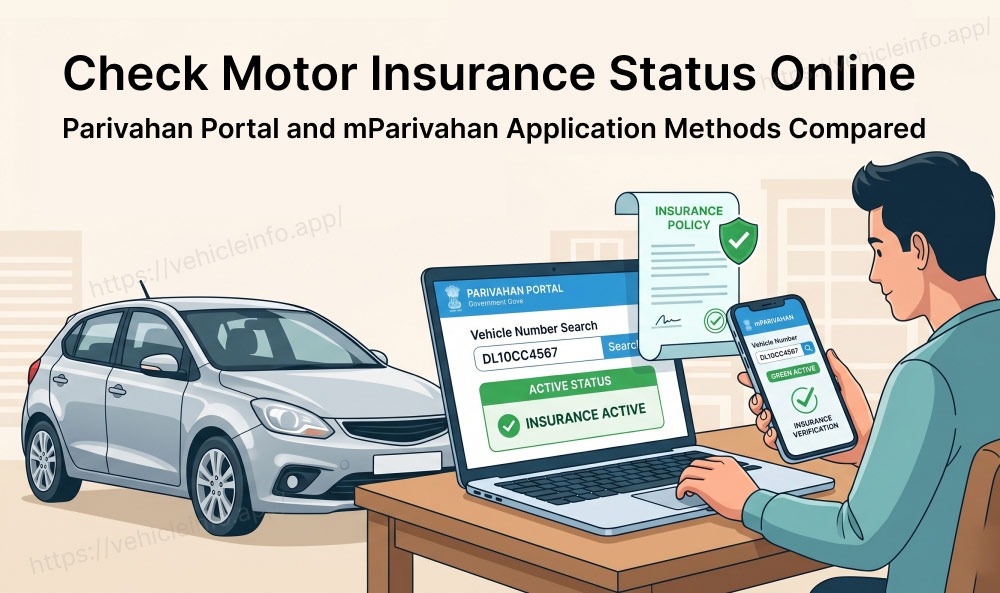
The Parivahan portal is the most direct way to check insurance by vehicle number because it pulls from the same registration database the RTO and police use. A vahan insurance check returns the registration record along with insurance validity, offering users easy access to official data.
Process of Downloading Insurance Data on Parivahan
Follow this process to run the check on the Parivahan e-services portal.
- Open the Parivahan e-services portal in your browser.
- Find the option to know your vehicle details, usually under the citizen or information services menu.
- Log in by entering your mobile number and verifying it with the code sent to you. First-time users may need to create a simple account.
- Enter the vehicle registration number in the format used on the number plate, without spaces or special characters.
- Enter the verification captcha shown on screen.
- Select the search vehicle option to pull the record.
What the Result Shows
A Parivahan check vehicle information report will tell you everything a vehicle insurance check has. This includes information such as:
- Name of the insurer (along with a disclaimer)
- Date of insurance/expiry date
- Vehicle registration details
The insurance check by vehicle number also helps confirm whether cover is active and when it expires, which is exactly what you need for a compliance or purchase decision. The strength of this method of insurance details download lies in the source of the data. Because Parivahan is the national registry, the police and RTO rely on the same record. If Parivahan shows valid cover, your vehicle reads as compliant in the system that matters for enforcement.
What to Do If the Result Is Blank?
Sometimes the insurance field comes back empty even when a policy exists. This usually happens because the data has not yet synced. A newly bought or renewed policy can take a few weeks to appear in Parivahan, so a recent purchase may not show immediately.
If the insurance field is blank, do not panic and assume the vehicle is uninsured. First, wait and recheck after some days if the policy is new. Second, cross-check using the insurer's own portal. Third, hold your policy document as proof, because the paper or digital copy overrides a lagging database during any roadside check.
Checking Insurance Status Online: mParivahan Application
For people who prefer their phone, the mParivahan app offers a vehicle insurance status check online without opening a browser. This is the same government data in a mobile-friendly form, and it is also the handheld device data tool many traffic officers themselves use for roadside checks.
It is very simple to check insurance status of your vehicle using the mParivahan Application.
- Simply download the official mParivahan App.
- Go to the vehicle search option.
- Enter your vehicle registration number and view the result.
When you view the insurance status of your vehicle within the mParivahan App, you can see the details of the registration of your vehicle and the validity of the insurance of your vehicle. Since the mParivahan App uses the central database for retrieving information for vehicles, the mParivahan Insurance Status you will view is also the same data as what an enforcement officer would see when reviewing the same number.
The mParivahan application also has a second benefit. It can store a digital copy of your own vehicle documents, which is accepted as valid proof during a check. So the application both verifies others' insurance status as well as carries your own, making it a practical everyday tool for any vehicle owner.
Insurance Status Check: Insurer Website or Application
Another quick way to verify your insurance policy is by accessing the corresponding insurer's website or mobile application, provided that you are aware of which insurer issued your policy. All major insurance companies in India provide self-serve options for policy information.
The online insurance status check process varies by insurer but typically follows the same flow. Here is how you can check insurance status online on your insurer's website or mobile application:
- Visit the insurer's website or app. Log in using your registered mobile number, email, or policy number.
- Go to the section that displays your purchase policy. This dashboard will display your active and expired policies.
- Click on the relevant policy to see the full schedule, coverage details, premium paid, and validity dates.
You can also check insurance online by registration number on most insurer apps. To do that, enter your vehicle number on the home page of the application, and the app will fetch your policy details.
What the Verification Result Tells You
A verification result is only useful if you can read it correctly. When you verify insurance by vehicle number, the output usually contains four key fields. Knowing what each one means turns raw data into a confident decision.
Policy Number
The policy number is the unique identifier of the insurance contract. Its presence confirms that a specific policy is on record for the vehicle. When you check insurance by vehicle number for a used-car purchase, a visible policy number is a strong sign the cover is genuine rather than claimed.
Insurer Name
This field depicts the company that issued your insurance coverage and the company you will file a claim with if you are involved in an accident involving your insured vehicle. After an accident, it is important to know which insurer will pay for damages. If you have an online vehicle insurance verification that identifies the name of the recognised insurance company, this may be your point of contact for pursuing any future claims against you for any liability arising from your accident.
Valid Up To Date
The compliance field is very important to keep in mind at all times. The valid until date determines when a vehicle's insurance coverage will be terminated. If that date has passed, then the vehicle is considered uninsured at this time, no matter how many previous policies may have been written for that vehicle. Each valid date must be read with care since active and inactive/expired insurance cards are often visually similar, with one exception: a single line is all it takes to tell the difference between the two types of insurance cards.
Policy Type
Some results indicate whether the cover is third-party only or comprehensive. This tells you the scope of protection. For legal compliance, third-party cover is enough, but for a used-car buyer, comprehensive cover signals that the vehicle's own damage is also protected. The insurance check by vehicle number is most useful when you read this field alongside the validity date.
When Parivahan Shows No Insurance: What It Means
A blank or no-insurance result on Parivahan or mParivahan does not always mean the vehicle is uninsured. There are several innocent explanations, and jumping to conclusions can cause unnecessary worry or unfair judgment of a seller.
The most common reason is a synchronisation delay. A policy bought or renewed in the last few weeks may not have reached the registry yet. Another reason is a reporting gap, where the insurer has not updated the central database promptly. A third is a data-entry mismatch, where the registration number was recorded slightly differently in the system.
If you see that there are no records for a Parivahan insurance check in the database, then take an appropriately measured approach to pursuing a resolution. Check back after several days for any new policies that may have been issued since your initial check. Request the vehicle owner to provide their current policy document and compare the policy number and validity date on the document with those of the vehicle. You should consider the vehicle to be genuinely uninsured only after all three checks have not produced an insurance policy. Using a systematic approach to do this provides you with protection against the purchase of an uninsured vehicle, as well as improperly rejecting a covered vehicle.
Checking Insurance for a Used Car Before Buying
Buying a used car is the situation where a vehicle insurance status check online saves you the most trouble. Before you pay, you want hard proof of the vehicle's insurance and legal standing, not just the seller's word.
Run the check yourself rather than trusting a screenshot the seller provides, because screenshots can be edited or outdated. Use the registration number to verify insurance by vehicle number on Parivahan or mParivahan, and read the valid upto date carefully. Confirm the insurer's name and policy number match the physical document the seller shows. If the cover is comprehensive, you also learn that the own-damage protection is in place, which adds value to the purchase.
A clean insurance record also hints at a responsible previous owner. A vehicle with continuous cover and no long gaps suggests careful ownership, while a lapsed or missing policy is a signal to ask more questions before buying. The insurance check by vehicle number is therefore both a compliance step and a quiet quality check on the vehicle's history.
There is another benefit of doing this check prior to any exchange of cash. Once you purchase the vehicle, you may have to have the existing policy transferred into your name, and it is much simpler to transfer that policy if it's still active. If the insurance has expired, then you would need to obtain new insurance prior to legally driving the vehicle home. Knowing ahead of time allows you to prepare for this, rather than finding out there is a lapse in coverage after finalising the sale. You can quickly verify an insurance status online with the vehicle number, which will give you documentation to support the seller's claim.
Legal Right to Verify: Motor Vehicles Act and IRDAI Provisions
You have a clear basis to run these checks. The Motor Vehicles Act makes third-party insurance compulsory and treats insurance status as a matter of public enforcement, which is why the government exposes the data for verification. The insurance regulator created the Insurance Information Bureau specifically to collect and make available motor insurance records.
This legal backing is what separates official verification from guesswork. When you verify insurance by vehicle number through the Parivahan website or the mParivahan application you are using systems the law itself built for transparency. The same data underpins police enforcement and RTO processes, so a vehicle insurance status check online through these channels carries real weight rather than being an informal lookup. For a used-car buyer, an accident victim, or a cautious owner, this means the result you see is the same result an enforcement officer would see. That shared source is exactly why these methods are trustworthy.
Insurance Verification vs Policy Document: What Each Proves
It helps to understand what an online check proves and what it does not. The two sources serve different purposes, and knowing the difference prevents misplaced confidence.
An insurance lookup online by vehicle number is able to verify what the centralised database currently has regarding that specific vehicle's insurance. This check is fast, accessible to anyone to do, and corresponds with what the police officers can see. On the other hand, the policy document will indicate the specific terms of the policy contract, including the coverage, exclusions and the named insured. The policy document is thus authoritative on detail but does not prove the record is synced with the government system. Therefore, the smartest way forward is to use the vehicle insurance status check online to confirm the cover exists in the official record, and use the policy document to confirm the precise terms. For day-to-day enforcement, a digital copy of the policy on the mParivahan app or DigiLocker is accepted as valid proof even if the registry lags. Reading the two together gives you the complete picture.
How Often Is the Parivahan Insurance Database Updated?
Update frequency is the question behind most blank results, so it deserves a clear answer. The databases do not update in real time, and the lag varies between systems.
A newly issued or renewed policy can take up to a few weeks to appear in the Parivahan registry as well as the mParivahan application. For the insurer's own portal, the update is typically faster, with policies usually showing up within 1 to 2 hours after purchase/renewal. The practical takeaway is patience for new policies. If you bought cover recently and a Parivahan insurance check shows nothing, the most likely cause is simple timing rather than a real problem. Wait, recheck, cross-verify on portals, and keep your document handy. Once the sync completes, the insurance check by vehicle number will reflect your active cover, and your record will read clean across every official channel.
Frequently Asked Questions
1. How can I check car insurance status online using a registration number?
Ans: You can check car insurance status online by entering the vehicle registration number on official platforms such as Parivahan, mParivahan, or the Insurer's portal. These services allow you to check insurance by vehicle number and view details such as the insurer's name, policy validity, and registration information.
2. Is it legal to check insurance by vehicle number in India?
Ans: Yes. The government and insurance regulators maintain centralised databases that make vehicle insurance status publicly verifiable. This allows vehicle owners, used-car buyers, and accident victims to check insurance by vehicle number through official channels for compliance and verification purposes.
3. What details can I see when I check vehicle insurance status online?
Ans: When you check car insurance status online, you may see the insurer's name, policy number, insurance validity period, registration details, and sometimes the policy type. These details help confirm whether the vehicle currently has active insurance coverage.
4. Why does the insurance information sometimes not appear on Parivahan?
Ans: A blank result does not always mean the vehicle is uninsured. Recently purchased or renewed policies may take time to sync with government databases. If you cannot see the vehicle insurance status on Parivahan, try checking again after a few days or use the IIB portal to cross-verify the information.
5. Can I check insurance by vehicle number before buying a used car?
Ans: Yes. It is highly recommended to check insurance by vehicle number before purchasing a used vehicle. This helps verify the seller's claims, confirms that insurance coverage is active, and allows you to review the policy validity before completing the transaction.
6. Can I check car insurance status online without a policy number?
Ans: Yes. Official platforms such as Parivahan and mParivahan allow you to check car insurance status online using only the vehicle registration number. You do not need the policy number or policy document to perform the verification.
7. How often is vehicle insurance status updated in government databases?
Ans: The vehicle insurance status displayed on the Parivahan or mParivahan application is not always updated in real time. Depending on the insurer and reporting cycle, new or renewed policies may take several days or weeks to appear. If you recently renewed your policy, keep your policy document as proof until the databases are updated.