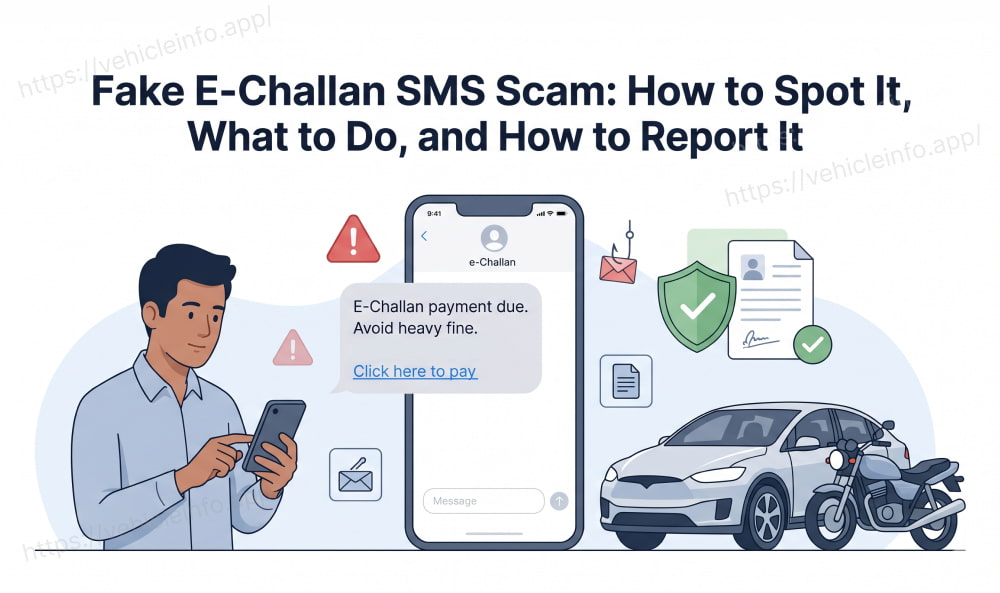
Fake E-Challan SMS Scam: How to Spot It, What to Do, and How to Report It
04 June, 2026
India's shift to digital traffic enforcement has created an unfortunate side effect: a growing wave of cybercriminals who exploit the e-challan system to scam vehicle owners. A fake e-challan SMS lands in your inbox, it looks official enough, it mentions your vehicle number, and it asks you to click a link to pay an urgent fine. If you do, your banking details can be compromised within minutes.
This guide explains how the challan scam India network operates, the red flags that separate a real challan from a fake one, and what to do if you have already clicked a suspicious link. It also covers how to report fake challan incidents through the national 1930 helpline and cybercrime portal.
How the E-Challan Scam Works: Three Delivery Methods
Understanding how the e-challan scam is structured helps you recognise it instantly when it arrives.
Via Fake SMS Messages
The most common delivery method is a fraudulent challan alert sent to your registered mobile number. Scammers obtain vehicle numbers and phone numbers through data leaks and then send mass messages. The fake traffic fine SMS typically includes:
- Your vehicle registration number (to make it look legitimate)
- A claim that you have a pending challan for a specific violation
- An urgent payment deadline (to create pressure)
- A link to a website that looks like Parivahan or a state traffic police portal
The challan scam link in these messages leads to a phishing site designed to steal your UPI PIN, debit card number, CVV, or net banking credentials.
Via WhatsApp Messages
Fake challan WhatsApp messages have become increasingly common. These messages often include images of what appear to be official e-challan documents, sometimes with your vehicle number and a blurry government logo. A fake challan WhatsApp message may also ask you to call a specific phone number to resolve the pending fine.
The important fact to know: traffic police in India do not send official challans via WhatsApp. Any challan delivered through WhatsApp is either a fake or an informal notification that should be independently verified before any action is taken.
Via Phishing Links
Whether delivered by SMS or WhatsApp, the e-challan phishing link directs you to a website that mimics the Parivahan portal or a state traffic police site. The URL is usually slightly different from the official one, for example using .net instead of .gov.in, or inserting extra characters. The e-challan phishing site then asks for payment details, which are sent directly to the fraudster.
Some variants of the challan scam link ask you to download an APK file (an Android app package), which installs malware on your phone capable of intercepting OTPs and accessing banking apps.
Ten Red Flags That Tell You It Is a Fake E-Challan SMS
Knowing how to identify fake e-challan SMS messages protects you from clicking before you think. Here are the ten clearest warning signs:
1. The message contains a payment link. Official government SMS messages for e-challans do not include direct payment URLs. They reference the official portal address without a clickable link.
2. The sender ID is a phone number rather than a registered government sender ID.
3. The message uses urgent language like "pay immediately" or "your vehicle will be seized."
4. The link URL does not end in .gov.in. All official Indian government portals end in .gov.in.
5. The message asks for your UPI PIN, OTP, or card number. No legitimate challan payment process asks for this via SMS.
6. The message arrives from WhatsApp rather than a registered SMS sender.
7. The fine amount mentioned is unusually high or does not match standard Motor Vehicles Act fine amounts.
8. The message asks you to call a specific number to settle the fine.
9. The linked website has a design that looks slightly different from the real Parivahan portal.
10. The message mentions a different portal or payment app that you do not recognise.
The official vs fake challan SMS format difference boils down to one key thing: official messages inform, fake messages demand immediate action with a payment link.
Official vs Fake Challan Message: A Direct Comparison
| Feature | Official E-Challan SMS | Fake E-Challan SMS |
|---|---|---|
| Sender ID | Registered govt ID (e.g., ECHALLN, state code) | Mobile number or unregistered ID |
| Payment Link | No payment link. References official portal only | Contains a direct payment or phishing link |
| Language | Informational, neutral tone | Urgent, threatening |
| Payment Portal | Directs to echallan.parivahan.gov.in | Directs to unofficial website |
| OTP / PIN request | Never | Common |
| WhatsApp delivery | Never | Common |
This official vs fake challan SMS format comparison makes the distinction easy to memorise. If the message asks you to tap a link to pay, treat it as suspicious until verified.
Received a Suspicious Message? Here Is What to Do
If you have received a fake challan message or are unsure whether a message is real, follow these steps:
Do not click any link in the message. Even visiting the site without entering details can sometimes trigger drive-by malware downloads.
Check your actual challan on echallan.parivahan.gov.in directly. Type the URL into your browser manually. If a real challan exists against your vehicle number, it will appear here. You can also use the Vehicle Info platform to check your vehicle's full challan history through official data sources.
Do not call any number provided in the message. Scammers use call-back numbers to further pressure victims or obtain personal information.
Screenshot the message and save it as evidence before deleting it. This will be needed if you decide to report fake challan incidents to the cyber cell.
Clicked a Fake Challan Link? Take These Steps Immediately
If you have already clicked a challan scam link and entered any financial information, speed is everything. Here is what to know about what to do if I clicked fake challan link:
Step 1: Call your bank immediately and ask them to freeze your account or block your debit card. Banks have 24-hour helplines for this.
Step 2: Block all UPI apps linked to your bank account. Open each app and remove the linked account or change the UPI PIN.
Step 3: Change your net banking password from a clean device (not the one you used to click the link).
Step 4: File a complaint on cybercrime.gov.in or call the 1930 cyber helpline. The 1930 cyber helpline challan fraud reports are escalated to the cyber crime cell, and early reporting increases the chance of fund recovery.
Step 5: File an FIR at your nearest police station or cyber cell if a financial loss has occurred.
Do not wait to see if any money disappears before acting. The answer to what to do if I clicked fake challan link is always: act within the first hour.
How to Report a Fake E-Challan SMS to Cyber Cell and the 1930 Helpline
Reporting fake challan incidents is important not just for your own recovery but for shutting down the scam at scale. Here is how to report:
1930 Cyber Helpline: Dial 1930 to reach the national cyber fraud helpline. This is the fastest route for financial fraud. When you call, the operator logs your complaint and coordinates with the relevant bank and cyber crime unit. The 1930 cyber helpline challan fraud team is specifically trained to handle online payment scams.
Cybercrime Portal: Visit cybercrime.gov.in and file a complaint under the Financial Fraud section. Provide the fake SMS screenshot, the phishing URL, and any transaction details if money was lost.
State Cyber Cell: Each state police force has a dedicated cyber crime cell. You can file an in-person complaint at your nearest cyber crime police station.
TRAI Complaint (for fake SMS): If the message was an SMS, you can also report it to TRAI (Telecom Regulatory Authority of India) through the Sanchar Saathi portal (sancharsaathi.gov.in). This helps get the sender's number blacklisted.
How to Verify Whether Your E-Challan Is Real
If you are uncertain whether a challan SMS is genuine, the quickest way to verify is the following. If is e-challan SMS from traffic police real is a question you have asked, here is the answer: check independently.
Open echallan.parivahan.gov.in directly in your browser (do not use the link in the SMS). Enter your vehicle registration number. If the challan exists, it will appear. If it does not appear, the SMS was either a fake or the challan has not yet synced (wait 48 to 72 hours and check again).
The Vehicle Info platform offers the same check: enter your vehicle number and all officially recorded challans against it appear. If the challan from your SMS is not there, do not pay it.
This is the most reliable method to determine if is e-challan SMS from traffic police real: ignore the message, go directly to the official source, and check for yourself.
FAQs
1. How do I identify a fake e-challan SMS?
Ans: To understand how to identify fake e-challan SMS messages, look for these signs: the message contains a payment link, the sender ID is a phone number rather than an official government ID, the language is urgent or threatening, or the message arrives via WhatsApp. Official challan messages do not contain payment links and only reference echallan.parivahan.gov.in. Any message with a different URL or a direct payment link is a red flag.
2. Is an e-challan SMS from traffic police ever sent through WhatsApp?
Ans: No. The answer to is e-challan SMS from traffic police real when sent via WhatsApp is no: traffic police in India do not send official challans through WhatsApp. Any fake challan WhatsApp message should be ignored and not acted upon. Verify independently by searching echallan.parivahan.gov.in. A challan scam India network frequently uses WhatsApp because it allows image attachments that look like official documents.
3. What should I do if I clicked a fake challan link?
Ans: If you are dealing with what to do if I clicked fake challan link, act immediately: call your bank to block your card, change your net banking and UPI passwords, and file a complaint on cybercrime.gov.in or by calling the 1930 cyber helpline. The earlier you report, the higher the chance of preventing or recovering a financial loss. Even if you only visited the site without entering details, watch your accounts for suspicious transactions.
4. How do I report a fake e-challan SMS scam?
Ans: To report fake challan incidents, dial the 1930 cyber helpline challan fraud line, file a complaint on cybercrime.gov.in, or visit your nearest cybercrime police station. If the fake SMS came from a specific phone number, also report it to TRAI through sancharsaathi.gov.in. Save the original SMS screenshot and any URLs you received as evidence before submitting the report.
5. What does a real e-challan SMS look like compared to a fake one?
Ans: Using the official vs fake challan SMS format as your guide: a real SMS comes from a registered government sender ID (not a phone number), contains no payment link, and references echallan.parivahan.gov.in as the portal. A fake challan message typically comes from a mobile number, includes an urgent payment link leading to a non-.gov.in site, and may ask for your OTP, PIN, or card details. Never pay through a link in an SMS.
6. What is the 1930 helpline and how does it help with challan scams?
Ans: The 1930 cyber helpline challan fraud line is India's national cybercrime reporting helpline. Calling 1930 connects you to a trained operator who logs your complaint, coordinates with your bank to freeze fraudulent transactions, and escalates the matter to the relevant cyber crime unit. The 1930 number operates 24 hours and is specifically designed for online financial fraud, making it the first call to make if you suspect you have fallen victim to an e-challan scam.
7. Can the challan scam link install malware on my phone?
Ans: Yes. Some e-challan phishing links trigger a download of a malicious APK file when clicked on an Android device. This file, once installed, can access your banking apps and intercept OTPs. If you clicked a challan scam link and were prompted to download a file, delete the file immediately, run an antivirus scan, and call your bank. On iOS devices, malware installation via a link is less common but phishing data entry remains a risk.
8. How do I check if my e-challan is real without clicking any links?
Ans: To check whether a challan is genuine, open a browser and type echallan.parivahan.gov.in manually (never use the link in an SMS). Enter your vehicle number. If a real challan exists, it appears here. Alternatively, use Vehicle Info at vehicleinfo.app/pay-challan-online, which pulls data from official Parivahan records. If the challan from the SMS is not listed on either, it is a fake traffic fine SMS and you should report it to 1930 and cybercrime.gov.in.