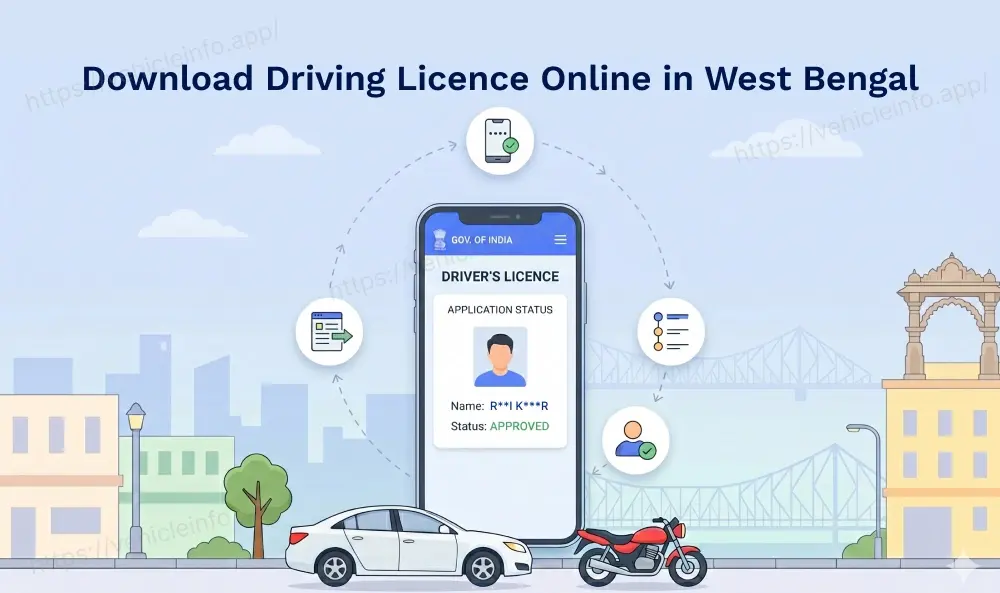
Download Driving Licence Online in West Bengal: A Complete Guide 2026
27 April, 2026
West Bengal, a state where the heritage of the past meets the digital pace of the future, has made significant strides in offering its citizens an ease of governance. From the iconic streets of North Kolkata to the industrial heart of Asansol and the serene hills of Darjeeling, the way citizens access public services in the state has changed forever, thanks to the digitisation of records. As the country navigates through 2026, the West Bengal transport department DL services have also transitioned into a highly efficient, paperless ecosystem. For the millions of motorists in the state, the ability to download driving licence online in West Bengal is no longer a complex task but a seamless digital experience.
The state's digital infrastructure is designed to serve citizens with robust platforms at their disposal that make having a digital backup of your West Bengal RTO driving licence on your smartphone an easy process. Under the 2026 transport guidelines, a digital DL is a valid legal document at par with its physical counterpart. Thus, with a digital copy of your WB DL, you can ensure you are never caught off guard during a routine check across the state. This guide provides a detailed, step-by-step roadmap for driving licence download in West Bengal, helping you stay compliant while embracing the Digital Bengal initiative.
Driving Licence Download in West Bengal: The Digital Push
The West Bengal driving licence online system is powered by the national Sarathi portal, integrated deeply with the state’s own transport database. In 2026, the WB DL download process is built around the ‘Anytime, Anywhere’ service model. This means that for most document-related needs, residents of West Bengal do not need to visit an RTO office physically or stand in long queues with lengthy forms.
Why should you consider a digital West Bengal DL download?
Considering downloading a digital DL in West Bengal has its own perks. Firstly, it serves as a secure and authentic backup in case your physical DL smart card is lost, damaged, or stolen.
Secondly, for those looking to verify their DL history for international permits or insurance purposes, a West Bengal RTO DL extract, which is a certified, detailed driving licence record, can also be easily downloaded online. So if you are wondering how to download driving licence online in india 2026, there are three primary, secure methods: the Parivahan portal, DigiLocker, and the mParivahan mobile app.
DL Download in West Bengal through the Parivahan Platform
The Parivahan Sewa portal is the official gateway for all vehicle and driver-related services in India. For a high-resolution, printable West Bengal DL download PDF, this is the most suited platoform.
Steps to Perform a WB DL Download from Parivahan
- Visit the official Sarathi Parivahan website.
- On the homepage, click the 'Select State Name' from the dropdown menu. Ensure you select 'West Bengal' from the list of states, as doing so will redirect you to the specific dashboard for the West Bengal Transport Department.
- Once you select the state, head over to the 'Driving Licence' tab and select 'Print Driving Licence' from the menu.
- Enter your Application Number and Date of Birth. If you do not have your application number, use the 'Find Application Number' facility available on the same portal by entering your name and DL number.
- A security code (OTP) will be sent to the mobile number registered with your West Bengal RTO driving licence.
- Once the OTP is verified, your licence details will be displayed. Click 'Print' to save the official West Bengal DL download PDF to your device.
This method of DL download is ideal for those who need a formal document for official submissions or for those who prefer to keep a high-quality printed copy in their vehicle. People relocating between eastern and northern states for work or education often also search for how to download DL in Uttar Pradesh especially when dealing with licences originally issued outside West Bengal.
Download Driving Licence Online in West Bengal via DigiLocker
DigiLocker is a secure cloud-based platform for the storage and verification of government-issued documents. In 2026, it is the most popular way for residents in Kolkata, Howrah, and Siliguri to carry their transport documents, such as a driving licence. The platform seamlessly fetches verified data directly from the West Bengal RTO servers.
How to Fetch Your WB DL on DigiLocker:
- Open the DigiLocker app or website and log in using your Aadhaar number and your 6-digit security PIN.
- Navigate to the 'Search Documents' section and type 'West Bengal Transport' or 'Ministry of Road Transport'.
- Choose 'Driving Licence' from the list of available documents.
- Enter your full West Bengal RTO driving licence number (e.g., WB01 20260012345).
- Check the consent box and click 'Get Document'.
Your licence will now be stored in the 'Issued' folder. Because this version of your WB DL download is digitally signed and contains a QR code, it carries the same legal weight as the physical card during traffic stops across the state. Since digitally verified licences are now accepted nationwide many users also compare the Delhi driving licence online retrieval process to understand how other major states have streamlined digital DL verification.
Driving Licence Download in West Bengal via the mParivahan Application
For those who prefer a dedicated mobile application, mParivahan is the ideal choice. It provides a 'Virtual DL' that works even when you are offline, which is especially useful when travelling through regions with patchy connectivity.
Steps to Create a Virtual DL on mParivahan:
- Download the mParivahan app from the Google Play Store or Apple App Store.
- Sign up using your mobile number and verify it via OTP.
- On the main dashboard, select the 'DL' tab.
- Enter your DL number and your Date of Birth.
- Click on 'Add to Dashboard to Activate Virtual DL'.
- Perform a final OTP verification to link the licence to your phone.
Your virtual licence is now ready. If you face issues like your West Bengal driving licence not showing online, the mParivahan app’s direct search is often the fastest way to verify if your record exists in the central server.
West Bengal RTO Contact Details and Helpline Numbers
If your digital journey hits a snag, the West Bengal Transport Department offers several ways to get help. Be it a technical error or a data mismatch, the local RTO is your primary point of contact.
Important Helpline Numbers:
- West Bengal State Transport Helpline: 1800 345 5192 (Toll-free)
- Public Grievance Redressal: 033-24751621
- National Parivahan Helpdesk: 0120-4925505
- Email Support: [email protected] / [email protected]
West Bengal RTO: Major Hubs and Addresses
| RTO Code | Location | Address |
|---|---|---|
| WB-01 | Kolkata (Beltala) | 38 Beltala Road Bakul Bagan Bhowanipore Kolkata - 700020 |
| WB-02 | Kolkata (PVD) | 38 Beltala Road Kolkata - 700020 (Public Vehicles Dept) |
| WB-03 | Kolkata (North) | 5 Kundu Lane Belgachia Kolkata - 700037 |
| WB-04 | Kolkata (South) | 2 Kasba Road Kolkata - 700042 |
| WB-05 | Kolkata (Behala) | 2 Diamond Harbour Rd Kolkata - 700034 |
| WB-06 | Kolkata (Salt Lake) | CF-320 Sector I Salt Lake City Kolkata - 700064 |
| WB-07 | Howrah | 4 M.G. Road Howrah - 711101 |
| WB-12 | Howrah (Domjur) | Domjur Howrah - 711405 |
| WB-16 | Hooghly (Chinsurah) | Chinsurah Hooghly - 712101 |
| WB-20 | Nadia (Krishnanagar) | Krishnanagar Nadia - 741101 |
| WB-26 | North 24 Parganas | Barasat Kolkata - 700124 |
| WB-71 | Siliguri | Mainak Tourist Complex Siliguri - 734003 |
| WB-74 | Darjeeling | Kutchery Compound Darjeeling - 734101 |
Troubleshooting Common Issues while downloading DL in West Bengal
While the digital system and interface are robust, users in West Bengal might occasionally face hurdles. Here is how to tackle them:
West Bengal Driving Licence Not Showing Online
This is a frequent issue for those holding old 'booklet' style licences or paper cards issued before the state’s total digitisation.
For a quick fix, you must apply for a 'Backlog Entry' on the Parivahan portal. Upload a clear photograph of your old licence, and the RTO will verify and digitise the record, after which your DL download West Bengal will work perfectly.
Invalid Mobile Number or No OTP Issues
Since all secure downloads are OTP-driven, an outdated mobile number is a major roadblock.
For a quick fix, use the 'Update Mobile Number' service on the Sarathi portal. By using Aadhaar authentication, you can link your new number to your DL profile instantly without a physical visit to the RTO.
Record Mismatch or Incorrect Photo
If your West Bengal DL download PDF shows an old address or a type in your name, apply for a 'Correction in DL' through the Parivahan portal. Since West Bengal now offers faceless services for address changes and minor corrections, the platform allows you to upload proofs and get an updated digital DL online.
How to Get a West Bengal RTO DL Extract
If a standard DL copy is insufficient for legal or international requirements, go to the 'Services on DL' section on the Parivahan portal and select 'DL Extract'. This document provides a certified, detailed history of your driving career. Also note that a nominal fee is charged for this official DL RTO Extract.
Download Driving Licence Online in West Bengal” The Digital Push
The shift towards a digital-first approach by the West Bengal transport department DL services has made life significantly easier for the people of Bengal in 2026. By following the steps to download a WB DL online, you can ensure that your driving credentials are valid, secure, and always accessible. As West Bengal continues to lead in digital governance, staying updated with your download driving licence online West Bengal tools is the smartest way to navigate the roads. Stay safe, respect the traffic rules, and keep your digital documents updated for a hassle-free journey.
FAQs
1. Is the West Bengal DL download PDF valid for traffic checks?
Ans: Yes, a PDF downloaded from the official Sarathi portal or a document fetched via DigiLocker is legally valid and must be accepted by traffic authorities as per the IT Act.
2. How can I download my Learner’s Licence in West Bengal?
Ans: Go to the Parivahan portal, select 'Learner Licence' and then head on to the section that says 'Print Learner Licence (Form 3)'. Enter your application number and date of birth to download the PDF instantly.
3. What should I do if my West Bengal driving licence is not showing online?
Ans: This usually means your data hasn't been digitised. Apply for a 'Backlog Entry' on the Parivahan portal and upload your physical licence for verification.
4. Is there a fee for downloading the driving licence online in West Bengal?
Ans: Standard downloads through DigiLocker and mParivahan are free. However, if you apply for a West Bengal RTO DL extract or a replacement DL through the portal, a nominal government fee will apply.
5. Why am I getting an 'Invalid DL Number' error?
Ans: Ensure you are using the correct format: WBXX YYYYNNNNNNN. If you have an older licence, check if it needs a 'Backlog' entry to be digitised first.
6. Can I show my digital DL to a traffic policeman in Kolkata?
Ans: Absolutely. Under the 2026 regulations, traffic authorities in Kolkata and throughout West Bengal are mandated to accept digital licences presented via authorised apps.
7. How do I update my address on my digital DL in West Bengal?
Ans: Apply for a 'Change of Address' service on the Parivahan portal. Once you upload the necessary proof (like Aadhaar), the updated version will be available for download after RTO approval.
8. What is the helpline for DL-related issues in Beltala RTO?
Ans: For queries related to Beltala (WB-01), you can contact the Public Vehicles Department (PVD) at 033-24751621 or visit their helpdesk during working hours.