How to Change Address on Driving Licence Online: Process, Fees and More
05 May, 2026
Moving to a new city or state is already complicated enough. Adding to this, the worry of updating essential documentation like a driving licence only makes things more stressful. Because a mismatched address on your DL can create some real problems. It can cause issues during police verification, vehicle registration, insurance claims, and even KYC with financial institutions.
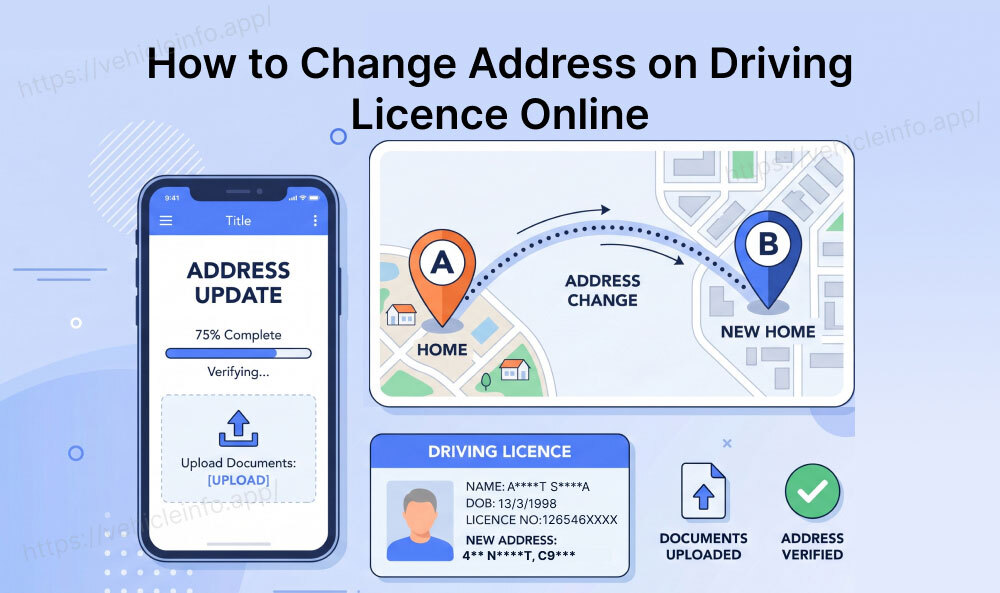
The good news, however, is that the process of DL address change online is now a seamless task on the Parivahan Sarathi portal, though the exact process differs significantly depending on whether you are moving within the same state or crossing state borders. This guide covers both scenarios in detail, including the NOC requirements for interstate DL address changes.
When to Change Address on Driving Licence
Moving from one place to another does not necessarily mean you should apply for a DL address change online. However, you should mandatorily apply for a driving licence address update in certain situations, including:
When Moving Within the State: If you have moved to a new district or city within the same state, the RTO code on your DL may change, but the process of undertaking a DL address change online stays within the same state Sarathi system.
When Moving Interstate: If you have relocated to a different state entirely, a more complex route of DL address change different state will be required, with a No Objection Certificate (NOC) from your original issuing RTO.
Address Error Correction: If your address was recorded incorrectly at the time of issue, you will be required to undertake a DL address change online with your Aadhaar or current residence proof.
While there is no strict legal deadline to update your DL address after moving, it is practical to do so as soon as you have settled. An outdated address can lead to speed post deliveries (for DL renewals or DL duplicates) going to the wrong location. In case your DL is lost during transit you can apply for a duplicate driving licence online.
Within-State DL Address Change Process
If you have moved within the same state, the DL address change same state process is entirely manageable through the Parivaha Sarathi portal with no NOC requirements. Do undertake a DL address change in the same state:
- Visit the official Parivahan Sarthi website, then click Driving Licence Related Services and then select your state.
- Log in to your Parivahan account.
- Under DL Services, select Change in DL or DL Address Change.
- Enter your DL number and date of birth.
- Select Address Change as the type of amendment required.
- Enter your new address details as they should appear on the updated DL.
- Upload your new address proof (Aadhaar, Voter ID, recent utility bill, or bank statement reflecting the updated address).
- Upload a recent passport-size photograph.
- Pay the applicable DL address change same state fees.
- Submit and receive acknowledgement. In most states, the updated smart card is dispatched to your new address within 7 to 21 working days with no RTO visit required.
The DL address change same state process is simple and hassle-free, and is fully supported online for all states on the Sarathi portal.
Interstate Address Change Process (Requires NOC)
The DL address change different state process diverges significantly from a within-state DL address update process. When you move to a new state, your DL record needs to be transferred from your original state's RTO to your new state's RTO. This requires an NOC, which is a formal release from the old RTO confirming that the licence record can be transferred.
Why the NOC exists: The NOC ensures that you have not surrendered, transferred, or applied for a duplicate DL in any other state. The NOC document is essentially a clearance document that gives a green light to RTOs in other states to undertake a DL address change without any pending issues.
Obtaining the NOC from Your Original State RTO
The first phase of a DL address change different state requires obtaining an NOC from the origin state RTO. Here is how to do that:
- Log in to the Parivahan Sarthi website and select your original state (the state that issued your DL).
- Under DL Services, look for ‘Apply for NOC or Transfer of Residence’.
- Enter your DL number, date of birth, and new state of residence.
- Upload your new address proof (showing your new state address), your existing DL, and a recent photograph.
- Pay the NOC application fee (approximately ₹200 to ₹400, depending on the state).
- The original state RTO issues the NOC. This typically takes 7 to 14 working days and can be tracked on the Sarathi portal.
Note: In some cases, you may need to visit the original RTO in person, particularly if your DL has any pending challans or if the portal requires physical document submission for NOC. Therefore, it is always advised to clear any outstanding challans before applying, as pending fines will potentially block the NOC process.
Apply for Address Change in the New State
Once your NOC is issued, you enter the second phase of the DL address change in a different state process, which requires you to apply for an address change in the new state. To do that:
- Log in to the Sarathi portal and select your new state.
- Under DL Services, select Change of Address or Transfer of Residence.
- Enter your DL number and upload the NOC received from your original state.
- Upload your new state address proof, photograph, and any other required documents.
- Pay the applicable fee in the new state.
- An updated DL smart card is issued reflecting your new state address.
Note that the DL number itself changes in many cases when the issuing RTO changes to your new state.
Documents Required for a DL Address Change Online
For Within-State Address Change:
- Current DL (copy, front and back)
- New address proof: Aadhaar (updated), Voter ID, recent utility bill (electricity, water, or telephone not older than 3 months), bank passbook, or rental agreement
- Passport-size photograph (recent, white background)
For Interstate Address Change At Original State:
- Current DL (original or copy)
- New state address proof
- Proof of relocation if required (employment letter, transfer order, lease agreement at new address)
- Passport-size photograph
- Clearance of any pending challans
For Interstate Address Change At New State:
- NOC issued by the original state RTO
- New address proof
- Passport-size photograph
- Any identity proof if required by the new state RTO
How to Apply for DL Address Change Online via Parivahan
Both the within-state and interstate address change processes are initiated at parivahan.gov.in through the same DL Services menu. The key distinction is:
- Within state: Select your current state and proceed with Change in DL/Address Change
- Interstate: First, complete the NOC process in your original state's Sarathi portal, then initiate the address update in your new state's Sarathi portal
The DL address change Parivahan interface guides you through the appropriate flow based on what you select. If the portal detects an out-of-state address proof, it will typically route you to the NOC/transfer path automatically.
Fees for DL Address Change
| Scenario | Approximate Fee |
|---|---|
| Within-state address change | ₹200 to ₹400 |
| NOC application (original state) | ₹200 to ₹400 |
| New state address update (after NOC) | ₹200 to ₹400 |
| Total for interstate address change | ₹400 to ₹800 (two transactions) |
The DL address change fees are displayed on the Sarathi portal at the time of payment based on your specific state and vehicle class. Carefully verify the fee before payment.
Processing Time for a DL Address Change in India
While the overall processing time for a DL address change in India varies from state to state, here is the average timeline a DL holder can expect when applying online for a DL address change in India:
| Process | Approximate Timeline |
|---|---|
| Within-state address change | 7 to 21 working days (no RTO visit required in most states) |
| NOC issuance from the original state | 7 to 14 working days |
| New state address update after NOC | 7 to 21 working days |
| Total for interstate change | 3 to 6 weeks end-to-end |
DL Address Change Online in India: What to Remember
Updating the address on your driving licence is an important step after moving within the state as well as out of it, especially to avoid issues with verification, deliveries, or official records. By understanding when an address change is needed, the difference between within-state and interstate processes, and the documents required, you can complete the update without confusion.
FAQs
1. How to change address on DL without visiting RTO?
Ans: For within-state changes, the Sarathi portal supports full online processing with no RTO visit needed. For interstate changes, some states require a physical visit for NOC issuance, but an increasing number of states now support online NOC applications through the Sarathi portal.
2. Can I change DL address online across states without NOC?
Ans: No. An NOC from your original issuing RTO is mandatory for all interstate DL address changes. Attempting to update without NOC will result in rejection at the new state portal.
3. What documents are needed for DL address change?
Ans: For within-state: the current DL, new address proof (Aadhaar, utility bill, or similar), recent photograph. For interstate: all of the above plus the NOC from your original RTO.
4. Can I clear pending challans online before applying for NOC?
Ans: Yes. Challans linked to your DL can be paid at echallan.parivahan.gov.in. Clearing these before starting the NOC process prevents delays.
5. What happens to my DL number after an interstate address change?
Ans: In most cases, your DL number changes when the issuing RTO changes to your new state. Your new DL number will carry the new state's code prefix. Your vehicle class authorisations and validity period remain unchanged.
6. Do I need to update my vehicle's RC as well when I change my DL address?
Ans: The vehicle RC (Registration Certificate) has its own address update process, separate from the DL. If you are permanently relocating to a new state, updating the RC address and paying the new state's road tax are additional requirements. This process is handled through the Vahan portal, not Sarathi.