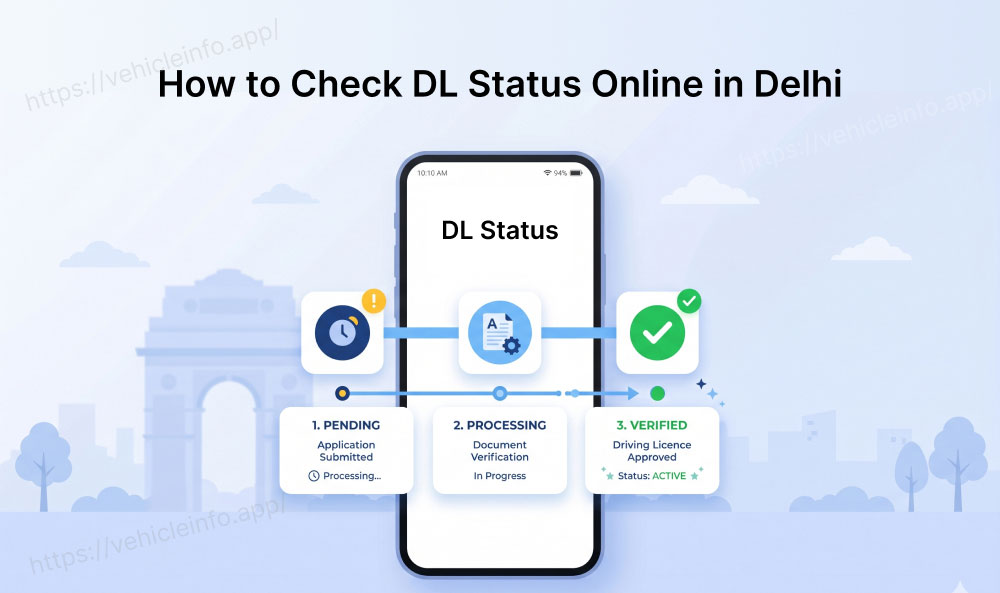
How to Check DL Status Online in Delhi
30 April, 2026
Applied for your driving licence at a Delhi RTO and now wondering where it stands? You are not alone. Between the test, the smart card printing, and the dispatch, the waiting period can feel like a black box, especially if the card has not arrived when you expected it. The good news is that you can check DL status in Delhi online in minutes, using three different methods, without visiting the RTO at all.
This guide covers every method for Delhi driving licence status check, state-specific RTO details you need, and how to fix the most common issues people run into.
Check DL Status in Delhi
Delhi follows the national Sarathi system managed by MoRTH, which means the same Parivahan portal used across India is the starting point for your Delhi DL status online check. However, Delhi has its own RTO codes and a dedicated transport department helpline, which are important when your online check returns unclear results.
Delhi issues driving licences through 14 RTOs across its districts, each with a unique code (DL-01 through DL-14). However, DL-14 is planned to be discontinued as of April 2026. The DL number format for Delhi licences is:
DL-[RTO Code]-[Year]-[7-digit unique number]
For example: DL-01-2023-0056789 (issued by RTO-01, which covers central Delhi).
When you check DL status in Delhi, having your application number or DL number ready significantly speeds up the process.
Method 1, Check DL Status via Parivahan (with Delhi RTO)
The Parivahan portal is the most comprehensive way to check your Delhi driving licence status. The same portal is also used by applicants who want to apply for a DL online in India including learner’s licence applications test slot booking and renewal services.
Step 1: Go to parivahan.gov.in and click on Driving Licence Related Services.
Step 2: Select Delhi from the state dropdown. You will be directed to the Delhi-specific Sarathi portal.
Step 3: Click on Application Status under the DL Services menu.
Step 4: Enter your application number (from your online application receipt) or your DL number along with your date of birth.
Step 5: Click Submit. The portal will display your current application status, which may show:
- Application Submitted, processing has begun
- Under Scrutiny, documents are being verified
- Test Passed, driving test cleared, DL being processed
- DL Generated, smart card printed
- Dispatched, sent by Speed Post to your address
- Delivered, confirmed delivered
For a Delhi DL application tracking need, this is the most detailed view available online.
Method 2, Check DL Status via Sarthi4
The Delhi Sarthi4 DL check is an alternative for applicants who applied through the newer Sarthi4 interface.
Step 1: Visit sarathi parivahan Service.
Step 2: Select Delhi as your state.
Step 3: Under the Others or Report section, click Application Status or DL Status.
Step 4: Enter your application number or DL number and date of birth.
Step 5: View your current status and expected processing stage.
The Delhi DL status via Sarthi4 shows the same database information as the main Parivahan portal, since both draw from the same national Sarathi registry. The same Sarathi system is also used for state-specific services like Maharashtra DL status check and other regional driving licence tracking portals across India. If Parivahan is loading slowly (which occasionally happens during peak hours), Sarthi4 is a reliable alternative for your Delhi driving licence status check.
Method 3, Check DL Status via mParivahan App
The mParivahan app is the fastest mobile option for checking Delhi DL status online when you are on the move.
Step 1: Download the mParivahan app (free on Android and iOS) if you have not already.
Step 2: Register or log in with your mobile number.
Step 3: Tap on My DL on the home screen.
Step 4: Enter your DL number and date of birth.
Step 5: If your DL has been issued and the data is in the national database, it will display on the screen, confirming your Delhi driving licence status as active and valid.
Once the licence becomes active in the database applicants can also download your DL in Delhi digitally through DigiLocker or the mParivahan platform.
Note: The mParivahan app will only show your DL if it has been issued and entered into the national Sarathi database. If your application is still being processed, the app will not display it yet. For pre-issuance application tracking, use the Parivahan portal instead.
Delhi RTO Contact Details
If your online Delhi DL status check returns an error or unclear status, the following contacts can help:
| RTO | Jurisdiction | Code | Address |
|---|---|---|---|
| DL-01 | Central Delhi | DL-01 | 9/1, Link Road, Karampura, New Delhi |
| DL-02 | West Delhi | DL-02 | Rajouri Garden, New Delhi |
| DL-03 | South Delhi | DL-03 | 1st Floor, Aurbindo Marg, New Delhi |
| DL-04 | East Delhi | DL-04 | Laxmi Nagar, New Delhi |
| DL-05 | North Delhi | DL-05 | Burari, New Delhi |
| DL-06 | North West Delhi | DL-06 | Rohini, New Delhi |
| DL-07 | Shahdara | DL-07 | Vivek Vihar, New Delhi |
| DL-08 | South West Delhi | DL-08 | Dwarka, New Delhi |
| DL-09 | North East Delhi | DL-09 | Nand Nagri, New Delhi |
| DL-10 | New Delhi | DL-10 | Lodhi Road, New Delhi |
Troubleshooting: Common Issues with Delhi DL Status Check
Application not found error: This usually means your application number was entered incorrectly. Double-check the number from your original acknowledgement slip, application numbers are case-sensitive in some browsers.
Status stuck at Under Scrutiny for over 14 days: This typically indicates a document discrepancy or a missing verification step. Contact your issuing Delhi RTO directly with your application number.
DL dispatched but not received: Check the Speed Post consignment number on the portal under your application. If the parcel is shown as undelivered or returned, visit the RTO to update your address and request re-dispatch.
DL not showing on DigiLocker after issuance: Allow 3 to 7 working days after the status shows "Dispatched" before expecting it on DigiLocker. If it is still not showing after that, visit parivahan.gov.in to confirm your mobile number is correctly linked to your DL record.
RTO DL helpline Delhi not reachable: RTOs in Delhi receive very high call volumes. The best time to call is between 10:00 AM and 11:30 AM on weekdays. Alternatively, visit the RTO in person between 10:00 AM and 1:00 PM.
FAQs
1. How long does it take to receive a DL in Delhi after the driving test?
Ans: After passing the driving test at a Delhi RTO, the smart card is typically dispatched within 7 to 21 working days. High-volume RTOs like DL-01 and DL-06 can take up to 30 days during peak periods.
2. Can I check Delhi DL application tracking without my application number?
Ans: Yes. The Parivahan portal allows status checks using just your DL number and date of birth. If you know neither, visit your issuing Delhi RTO with your Aadhaar card, they can retrieve your application record.
3. Is the Delhi driving licence status check on Parivahan real-time?
Ans: The database updates occur during working hours. Status changes (such as "Dispatched") typically appear on the portal within 24 to 48 hours of the actual event at the RTO.
4. What does "DL generated" status mean?
Ans: It means your smart card has been printed and is awaiting dispatch to Speed Post. Dispatch usually happens within 1 to 3 working days of this status appearing.
5. My Delhi DL was dispatched but returned to the RTO. What should I do?
Ans: Visit your issuing RTO with your application number and a current address proof. Request address correction and re-dispatch. This is a common issue when applicants have moved between application and delivery.






