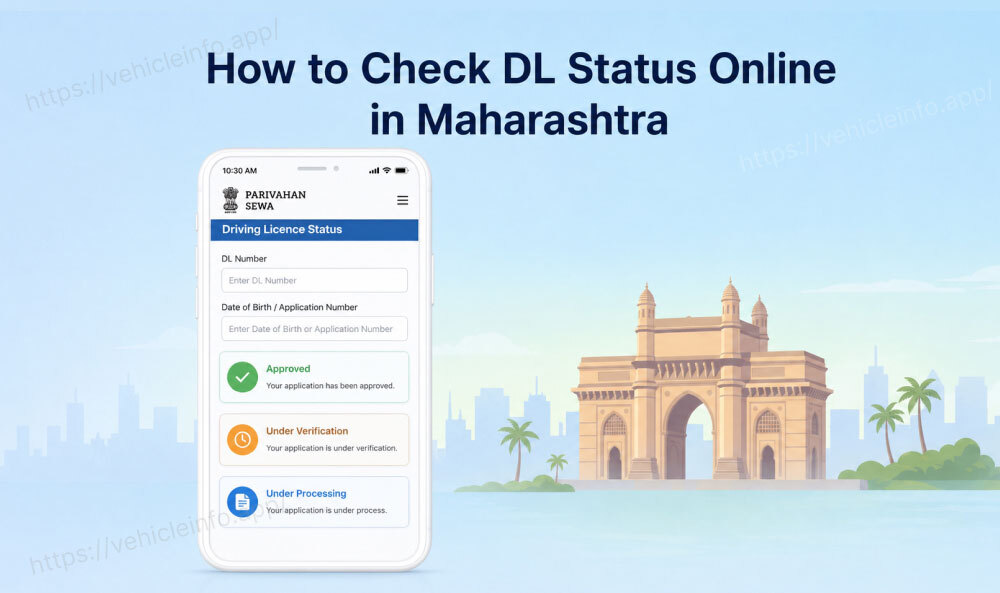
How to Check DL Status Online in Maharashtra
30 April, 2026
Maharashtra processes more driving licence applications than almost any other state in India. Mumbai alone has over a dozen RTOs handling thousands of applications every week, and that is before counting Pune, Nagpur, Nashik, Aurangabad, and every other district in between. If you have applied for a new DL, renewed an existing one, or submitted for a duplicate and are wondering where things stand, knowing how to check DL status in Maharashtra online can save you hours of follow-up calls and unnecessary RTO trips.
This guide covers all three methods for a Maharashtra driving licence status check, decodes exactly what each status message means, lists current RTO contact details across the state, and gives you a thorough troubleshooting section for everything that can go wrong, and how to fix it.
Check DL Status in Maharashtra
Maharashtra's entire driving licence system runs on the national Sarathi platform managed by MoRTH. Every RTO across the state, from Colaba to Chandrapur, feeds into the same centralised database, which means your Maharashtra DL status online check works exactly the same way regardless of which district you applied in. Maharashtra DL numbers follow this standardised format:
MH-[RTO Code]-[Year of Issue]-[7-digit unique number]
For example, MH-12-2024-0034567 was issued by RTO-12 (Pune Camp) in 2024. If you applied in Mumbai's Andheri-based RTO, your number would begin with MH-02. Knowing your RTO code matters when you call the helpline or visit in person, you always deal with the RTO that issued your specific licence.
There are three reliable methods to check DL status in Maharashtra: the Parivahan portal, the Sarathi interface, and the mParivahan app. Each serves a slightly different purpose, and knowing which to use in which situation saves you time.
Before starting any check, keep the following ready:
- Your application number (from your online Parivahan submission receipt)
- Your DL number (if already issued)
- Your date of birth
- The state: Maharashtra
Method 1, Check DL Status via Parivahan (with Maharashtra RTO)
The Parivahan portal is the primary and most detailed method for Maharashtra DL application tracking. The same portal is also used by applicants who want to apply for a DL in India including learner’s licence applications driving test bookings renewals and duplicate DL requests. It reflects real-time updates from the Sarathi database during working hours and shows you precisely which stage your application is at.
Step 1: Open a browser and go to parivahan website On the homepage, click Driving Licence Related Services under the Online Services section.
Step 2: A state selection dropdown will appear. Select Maharashtra. This redirects you to the Maharashtra-specific Sarathi portal interface where your application data resides.
Step 3: On the Maharashtra Sarathi page, look for Application Status in the top bar menu and click it.
Step 4: You will see two options, search by application number or search by DL number. If your DL has not been issued yet, use your application number. If it has been issued, either works. Enter the relevant number along with your date of birth in DD/MM/YYYY format.
Step 5: Complete the captcha and click Submit.
Step 6: Your Maharashtra driving licence status is displayed. Here is what each status label means in practice:
- Application Submitted: Your form has been received and logged. No action needed, processing has started.
- Under Scrutiny / Document Verification Pending: Your documents are being reviewed by the RTO officer. This stage typically takes 3 to 7 working days. If it extends beyond 14 days, it usually signals a discrepancy.
- Test Scheduled: Your driving test slot has been booked. Check the date and prepare accordingly.
- Test Passed: You cleared the driving test. Your DL is now being prepared.
- DL Generated: Your smart card has been printed. It will be handed to Speed Post within 1 to 3 working days.
- Dispatched: Speed Post has accepted the parcel. A consignment number is usually visible at this stage, note it down for tracking separately on the India Post website.
- Delivered: Speed Post has marked delivery as complete to your registered address.
Method 2, Check DL Status via Sarthi4
The Maharashtra Sarthi4 DL check is accessed through a slightly different URL but draws from the identical national database. It is useful when the main Parivahan portal is experiencing slowness, which happens during peak application seasons or when system updates are being pushed.
Step 1: Go to sarathi parivahan Service directly in your browser.
Step 2: The portal loads with a state selection screen. Choose Maharashtra.
Step 3: Click Application Status in the top nav bar menu.
Step 4: Enter your application number or DL number along with your date of birth. Complete the captcha and submit.
Step 5: The MH DL status is displayed in the same format as the Parivahan portal.
The Maharashtra Sarthi4 DL check is particularly useful for applicants who originally applied through the newer Sarthi4 application interface rather than the legacy Parivahan flow, as it occasionally surfaces more granular stage information for those applications. The same Sarthi platform is also widely used for services like Karnataka DL status check and other state-specific driving licence tracking systems across India.
One practical tip: if you are getting a loading error on Parivahan, try Sarthi4 from a different browser or in incognito mode. Government portals sometimes have session conflicts that a fresh window resolves immediately.
Method 3, Check DL Status via mParivahan App
The mParivahan app is the fastest mobile option for a Maharashtra DL status check when you are not at a desktop. It is the official MoRTH app and is free on both Android and iOS.
Step 1: Download the mParivahan app from the Google Play Store or Apple App Store if you have not already. Search for "mParivahan" and install the version published by the National Informatics Centre (NIC).
Step 2: Open the app and register or log in using your mobile number. OTP verification is required on first use.
Step 3: On the home screen, tap My DL.
Step 4: Enter your Maharashtra DL number (starting with MH) and your date of birth.
Step 5: If your DL has been issued and recorded in the national Sarathi database, it loads as a virtual card on your screen. Many users also use this process to download Maharashtra DL records digitally through mParivahan or DigiLocker for verification and travel purposes.
Important limitation to understand: The mParivahan app only confirms that a DL exists and is active in the database. It does not show pre-issuance application stages like "Under Scrutiny" or "DL Generated." For tracking where your application is during processing, the Parivahan portal or Sarthi4 gives the more complete picture. Use mParivahan once you expect the DL to have been issued, as a quick confirmation check.
Maharashtra RTO Contact Details
Maharashtra has one of the largest RTO networks in the country. The table below covers the major RTOs you are most likely to deal with.
| City / Area | RTO Code |
|---|---|
| Mumbai (Transport Bhavan) | MH-01 |
| Mumbai (Andheri) | MH-02 |
| Mumbai (Tardeo) | MH-03 |
| Thane | MH-04 |
| Kalyan | MH-05 |
| Raigad (Alibag) | MH-06 |
| Pune (Camp) | MH-12 |
| Pune (Pimpri) | MH-14 |
| Nashik | MH-15 |
| Kolhapur | MH-09 |
| Aurangabad | MH-20 |
| Nagpur (Central) | MH-31 |
| Nagpur (East) | MH-40 |
| Solapur | MH-13 |
| Amravati | MH-27 |
Troubleshooting: Common Issues with Maharashtra DL Status Check
Maharashtra's high application volume means certain issues come up repeatedly. Here is a detailed breakdown of each one and exactly how to resolve it.
Application not found or No record found error: This is the most common issue and has several causes. First, double-check your application number character by character, it is easy to confuse zeros with O's, or misread a digit on a mobile screen. Second, check whether you are on the correct state portal, if you used a different state's portal to check, the record will not appear. Third, if your application was submitted within the last 24 hours, the database may not have synced yet. Wait a full working day and retry. If the issue persists beyond 48 hours with a confirmed correct application number, call your issuing RTO directly.
Status stuck at "Under Scrutiny" for more than 14 working days: Prolonged document scrutiny almost always points to one of three issues: a name mismatch between your application and your uploaded Aadhaar, an address proof that does not match the application form, or a document uploaded in an incorrect format or with a file size that the system could not process correctly. Contact your issuing RTO by phone or in person with your application number. Bring the original documents that were uploaded, the officer can typically identify the discrepancy within minutes of reviewing the file.
Test passed but DL Generated status not appearing for over a week: After passing the driving test, the examiner's system should update the record within 2 working days. If it has not updated after 5 working days, visit the licensing section of your RTO with your test acknowledgement and ask the licensing officer to manually update the test clearance. This occasionally happens at high-volume RTOs where digital updates get backlogged.
Status shows Dispatched but card not received after 30 days: Pull the Speed Post consignment number from the Parivahan portal under your application and track it at indiapost.gov.in. The tracking will show whether it was delivered, returned, or is stuck at a sorting centre. If it shows as returned to sender, which often happens when the address is incomplete or the delivery person could not locate the flat, visit your issuing RTO with your application number and a fresh address proof. Request address correction and re-dispatch. Most RTOs process re-dispatch requests within 3 to 5 working days.
MH DL status shows Issued but DigiLocker does not show the DL: DigiLocker syncs from the Sarathi database but does not always update instantly. Allow 3 to 7 working days after the "Dispatched" status appears before expecting DigiLocker to reflect the new DL. If it has been longer, log in to parivahan.gov.in and verify that your mobile number is correctly registered in your Sarathi profile under Update Mobile Number. A number mismatch between Sarathi and DigiLocker can prevent automatic document fetch.
Maharashtra RTO helpline not reachable: Mumbai RTOs (MH-01, MH-02, MH-03) receive extremely high call volumes and lines are often engaged for hours. The most productive approach is to visit the RTO in person during off-peak hours, Tuesday to Thursday mornings between 10:30 AM and 12:00 PM tend to have shorter queues than Mondays and Fridays. For applications at Pune or Nashik RTOs, phone availability is generally better than Mumbai.
Driving licence status shows active but vehicle class appears incomplete: If your DL shows on mParivahan or DigiLocker but a vehicle class you applied for is missing, it could mean that the class was not captured during the database entry at the RTO. Visit your issuing RTO with the original application and test pass certificate to request a correction in the Sarathi record.
FAQs
1. How long does it take to receive a driving licence in Maharashtra after the driving test?
Ans: After passing the driving test at a Maharashtra RTO, smart cards are typically dispatched within 7 to 21 working days. Mumbai RTOs (MH-01, MH-02, MH-03) tend to take 15 to 25 working days during high-volume periods, while smaller district RTOs like Kolhapur or Solapur often process faster. Checking your Maharashtra DL status online every few days during this window is the most reliable way to track progress without calling the RTO repeatedly.
2. Can I check Maharashtra DL status in 2026 without my application number?
Ans: Yes. The Parivahan portal accepts your DL number and date of birth as an alternative search combination. If you have neither, visit your issuing Maharashtra RTO with your Aadhaar card, the licensing officer can look up your record using your name and date of birth.
3. Does the Maharashtra driving licence status check work for renewed licences too?
Ans: Yes. The same Parivahan portal and Sarthi4 interface handle both new DL applications and renewal status checks for Maharashtra. The process is identical, enter your DL number and date of birth to see the renewal processing stage.
4. What does Under Scrutiny mean and how long should it take?
Ans: Under Scrutiny means your uploaded documents are being reviewed by an RTO officer for accuracy and completeness. For straightforward applications with clean Aadhaar-linked data, this takes 3 to 7 working days. If it goes beyond 14 working days, there is almost certainly a document issue that requires your intervention, either a phone call or an in-person visit to the RTO.
5. Is the MH DL status check on Parivahan available 24 hours a day?
Ans: The Parivahan portal is technically accessible around the clock, but the database updates only during government working hours (typically 9:30 AM to 6:00 PM on weekdays). Checking at night will show the same status as at the end of the previous working day. For the most current information, check between 11:00 AM and 4:00 PM on weekdays.
6. My Maharashtra DL application tracking shows a consignment number but the India Post website shows no record. What does that mean?
Ans: The consignment number sometimes appears in the Parivahan system 12 to 24 hours before Speed Post actually scans the parcel into their system. Wait one full working day after the Parivahan status shows "Dispatched" before checking the India Post tracking, it will appear once the parcel is physically handed over and scanned at the post office.
7. What is the Maharashtra RTO helpline for DL status queries, and when is it best to call?
Ans: The main Maharashtra Transport Department helpline is 022-22047708. The best time to call is between 10:30 AM and 12:00 PM on weekdays, particularly Tuesday through Thursday. Avoid calling on Mondays (high call volumes after the weekend) and Friday afternoons. For Mumbai-specific RTOs, visiting in person is often faster than calling.






