Check Vehicle Owner Details in Hyderabad | Check RC Details
27 January, 2025
No matter where you reside in India, verifying vehicle information is crucial for various reasons, including buying, selling, or maintaining a vehicle. Checking details like ownership, RC status, and insurance ensures legal compliance. , This guide will explain how to check vehicle owner details by number plate in Hyderabad.
What is a Vehicle Registration Certificate (RC)?
The Registration Certificate (RC) is an essential document issued by the Regional Transport Office (RTO) upon vehicle registration. It contains vital information such as:
- Vehicle owner's name
- Vehicle class and type
- Chassis number
- Make and model
- Insurance policy details
- RC expiry date
- PUCC (Pollution Under Control Certificate) expiry date
- Hypothecation status (if applicable)
Why is Checking Vehicle Details Important?
- Registration Certificate Renewal: Checking vehicle details helps you track the expiry date of your RC, ensuring timely renewal.
- Essential Vehicle Information:You can obtain vital information about the vehicle, including owner's name, make, model, chassis number, fuel type, and more.
- Insurance Requirements: Many insurance companies verify vehicle details before issuing policies or processing claims.
Also Read: Step-by-Step Guide to Download RC Book Online
How to Check Vehicle Owner Details by Number Plate in Hyderabad
You can easily check vehicle owner details by number plate in Hyderabad through online platforms like Vehicleinfo or the Parivahan website.
Checking Vehicle Owner Details in Hyderabad at Vehicleinfo
1. Visit the Vehicleinfo website.
2. Click the "Login" button and log in with a Mobile Number or Google.
3. Click on “Search Owner Details”.
4. Select “Telangana” state and select your RTO code.
5. Click the “vehicle number" button.
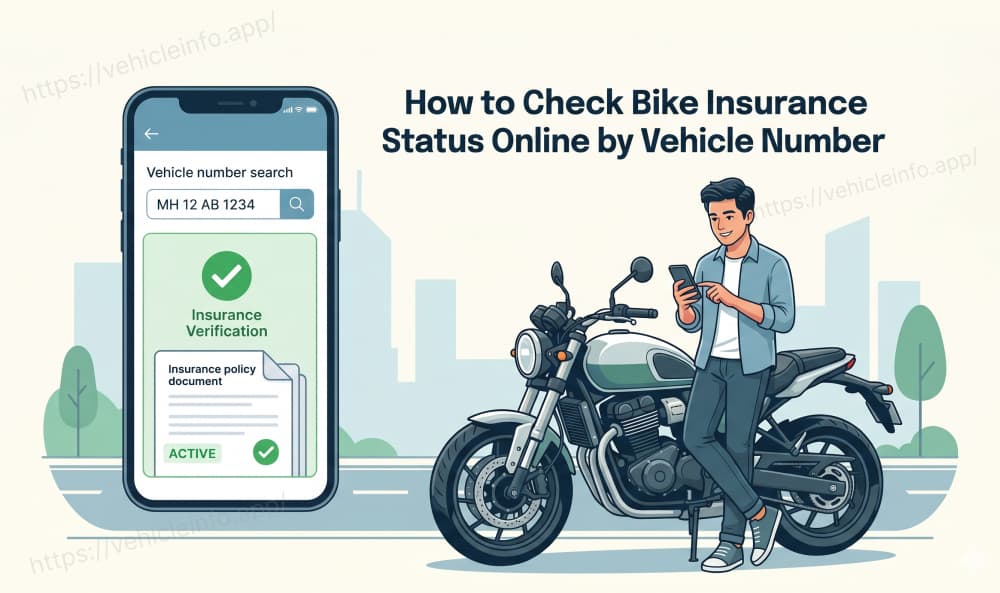
6. Enter your "vehicle number" and click the "search" button.
7. View all vehicle RC Details.
Checking Vehicle Owner Details in Hyderabad Parivahan
Here's a quick guide on how to check vehicle owner details by number plate in Hyderabad using the Parivahan website:
- Visit the Parivahan website: Parivahan Website.
- Under "Informational Services," locate and select "Know Your Vehicle Details."
- Enter the vehicle's registration number (e.g. TS-09-AB-1234) and complete the captcha verification.
- Click "Search" and view the displayed vehicle information, which may include owner's name, registration date, and vehicle class.

Hyderabad RTO Code List
The following table lists the RTO codes for different zones in Hyderabad:
| RTO Office Location | Hyderabad RTO Code |
|---|---|
| Hyderabad Central Zone | TS-09 |
| Hyderabad North Zone | TS-10 |
| Hyderabad East Zone | TS-11 |
| Hyderabad South Zone | TS-12 |
| Hyderabad West Zone | TS-13 |