How to Update Mobile Number in RC Online Guide
05 May, 2025
Keeping your contact information updated with the Regional Transport Office (RTO) is crucial for receiving important notifications and updates related to your vehicle. One of the most important pieces of contact information is your mobile number, linked to your vehicle's Registration Certificate (RC). This allows the authorities to reach you for reminders about insurance renewals, PUC updates, and any other critical vehicle-related information.
If you've recently changed your mobile number or want to ensure it's correctly registered with your vehicle's RC, this comprehensive guide will walk you through the step-by-step process. While the online process through the Parivahan Sewa portal is the most convenient, we'll cover the key aspects you need to know.
Check your RC details on Vehicleinfo.
Why Update Your Mobile Number in Your Vehicle RC?
Before we dive into the steps, let's understand why it's essential to have your mobile number updated in your RC:
- Timely Updates and Notifications: Receive SMS alerts for important reminders like vehicle insurance expiry, Pollution Under Control (PUC) certificate expiry, and any potential traffic violations or challans.
- Improved Communication with Authorities: In case of accidents, theft, or any other emergency involving your vehicle, having your correct mobile number registered can facilitate quicker communication with the authorities.
- Access to Online Services: Many online vehicle-related services on the Parivahan portal and the mParivahan app require your registered mobile number for OTP verification and access.
- Smooth Transfer of Ownership: When you sell your vehicle, the registered mobile number helps in the smooth transfer of ownership process.
How to Update Your Mobile Number in RC Online via Parivahan Sewa Portal
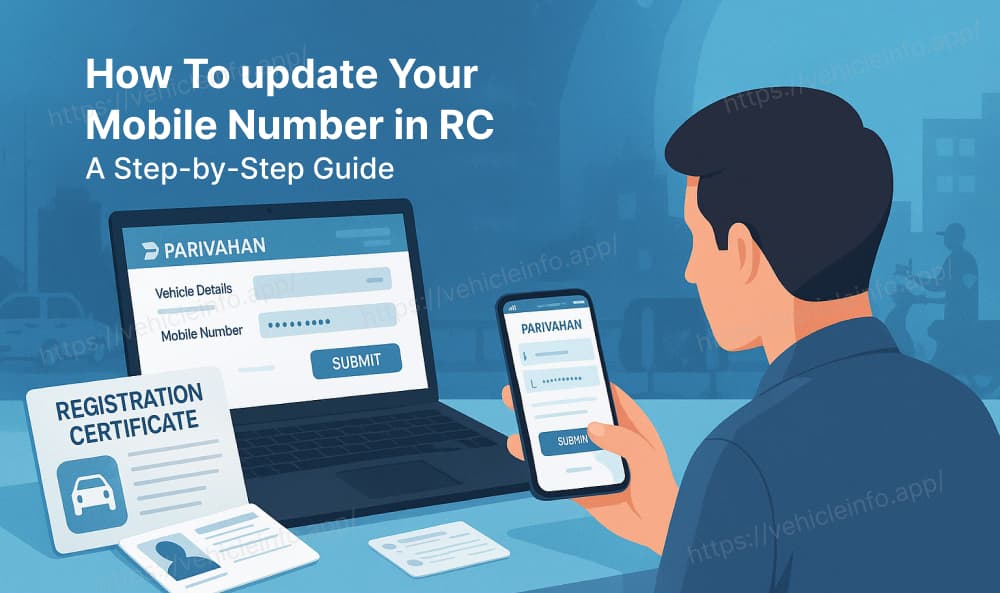
The Ministry of Road Transport and Highways (MORTH) has made it easier to update your mobile number in your vehicle's RC through the Parivahan Sewa portal. Here's a general step-by-step guide:
1. Visit the Parivahan Sewa Website:
Open your web browser and navigate to the official Parivahan Sewa website: https://parivahan.gov.in/
2. Select "Online Services":
On the homepage, look for the "Online Services" tab and click on it.
3. Choose "Vehicle Related Services":
From the dropdown menu, select "Vehicle Related Services."
4. Select Your State:
You will be redirected to a page where you need to select the state where your vehicle is registered from the provided list.

5. Provide Vehicle Information:
You’ll be redirected to your State Transport Department’s official page.
Select the option labeled “Update Mobile Number” or a similar service.
Enter your Vehicle Registration Number, last 5 digits of the Chassis Number, and Engine Number accurately.
6. Enter and Verify Your Mobile Number:
Input the new mobile number you wish to link to your RC.
You will receive a One-Time Password (OTP) on this number. Enter the OTP to verify your request.
7. Submit the Request:
Once verification is complete, click Submit.
A confirmation message will appear, and your mobile number will be updated in the system shortly.
Updating Mobile Number in RC Offline (Visiting the RTO)
If you are unable to update your mobile number online, you can also do it by visiting your concerned Regional Transport Office (RTO). The process might vary slightly depending on the RTO, but generally, it involves:
1. Visit Your Local RTO: Go to the RTO where your vehicle is registered.
2. Obtain the Required Form: Enquire at the information desk for the specific form to update your mobile number in the RC. This might be a general application form for RC-related services.
3. Fill Out the Form: Fill in all the required details accurately, including your vehicle registration number, chassis number, old mobile number (if applicable), and the new mobile number you want to register.
4. Attach Necessary Documents: You will likely need to attach copies of your RC, your ID proof, and address proof along with the filled-out form. Carry the original documents for verification.
5. Submit the Form and Documents: Submit the filled form and the required documents to the designated counter at the RTO.
6. Pay Applicable Fees (if any): There might be a nominal fee associated with updating your mobile number. Enquire about the fee amount and make the payment accordingly.
7. Acknowledgement Receipt: Collect the acknowledgement receipt for your submission.
8. Follow Up (if required): The RTO might take some time to process your request. You might need to follow up with them after a few days or weeks to check the status.
Check your nearest RTO office details on Vehicleinfo.
Documents You Might Need
While the specific documents required might vary slightly depending on the state and the online/offline method, some common documents you might need include:
- Original Registration Certificate (RC) of your vehicle.
- A photocopy of your RC.
- Your valid ID proof (e.g., Aadhaar card, PAN card, Voter ID, Passport).
- Your valid address proof (e.g., Aadhaar card, Driving License, Utility Bills).
- Application form for updating mobile number (for offline process).
Also Read: Steps to Download RC Book Online
Important Points to Remember
- Ensure you have your vehicle's registration number and chassis number handy before starting the online process.
- Double-check the mobile number you enter before submitting the request.
- For the online process, make sure you have access to the new mobile number to receive the OTP.
- The online process might not be available in all states yet. In such cases, you will need to follow the offline procedure.
- If you encounter any issues during the online process, you can try contacting the Parivahan Sewa helpline or visiting your nearest RTO for assistance.
Conclusion
Keeping your mobile number updated in your vehicle's RC is a simple yet important step to ensure you receive timely updates and can access various online vehicle-related services. By following the steps outlined in this guide, you can easily update your contact information and stay connected with the necessary authorities regarding your vehicle. Whether you choose the convenience of the online Parivahan Sewa portal or prefer the traditional offline method at the RTO, make sure your mobile number is accurately registered for a hassle-free experience.