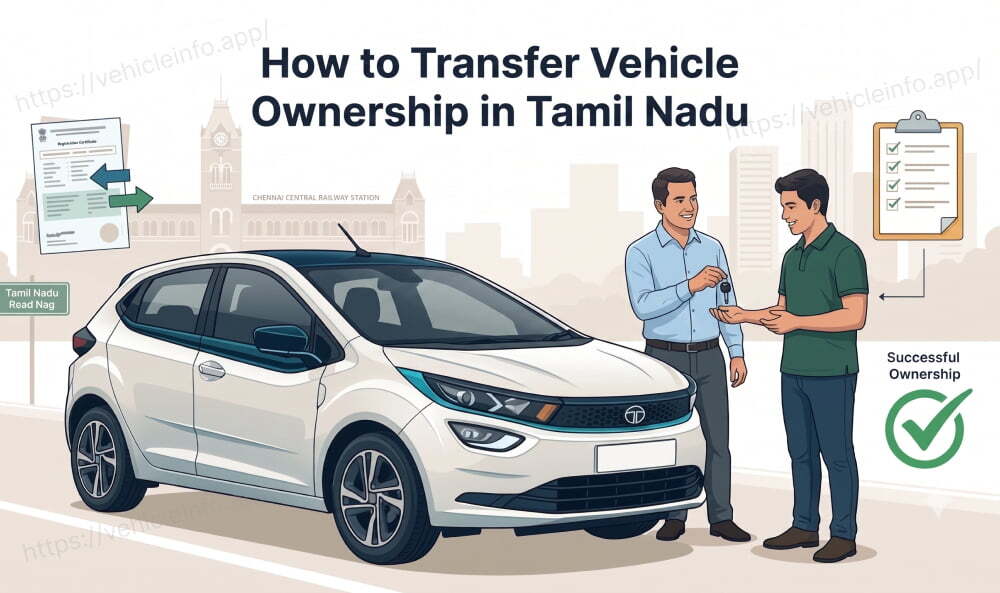
How to Transfer Vehicle Ownership in Tamil Nadu
02 July, 2026
Buying or selling a used car or bike in Tamil Nadu means one key step at the RTO. The registration must be transferred into the new owner's name. This guide explains how to transfer vehicle ownership in Tamil Nadu step by step for both cars and two wheelers. You will see the online process the documents the fees and the NOC rules. Most of the vehicle ownership transfer Tamil Nadu cases now start on the Parivahan portal. A timely transfer protects the seller from future liability.
1. Vehicle Ownership Transfer in Tamil Nadu
A transfer updates the RTO record to show the buyer as the legal owner. Until it is done the seller stays liable for the vehicle. So both sides gain from a quick transfer. A clean transfer also lets the buyer renew insurance and pay tax in their own name. The law allows 14 days for a same state transfer after the sale. For an interstate move the window is 45 days with an NOC.
You can begin the transfer vehicle ownership in Tamil Nadu process online or at the RTO. A Tamil Nadu RTO transfer needs forms from both the seller and the buyer. The RTO then verifies the papers and issues a fresh RC.
2. Online Process
You can start the Tamil Nadu vehicle transfer online on the Parivahan VAHAN portal. Here is the usual flow.
- Open parivahan.gov.in and choose vehicle-related services.
- Select the TN RTO where the vehicle is registered.
- Enter the registration number and the last five digits of the chassis number.
- Verify the details and choose Transfer of Ownership.
- Fill in the seller and buyer details in the form.
- Upload the documents and pay the fee online.
- Note the application number for tracking.
- Visit the RTO for verification with the original papers.
On Parivahan Tamil Nadu the seller files Form 29 and the buyer files Form 30. After the upload and fee the RTO checks the file and may inspect the vehicle. Once cleared a new RC is issued in the buyer's name. This is the core of a vehicle ownership transfer case in Tamil Nadu.
3. Documents Required
Keeping the right papers ready avoids most delays. Here are the documents for RC transfer Tamil Nadu owners need.
| Document | Purpose |
|---|---|
| Form 29 in two copies | Notice of transfer by the seller |
| Form 30 | Transfer application by both parties |
| Original RC | The certificate to be updated |
| Valid insurance certificate | Confirms active cover |
| Valid PUC certificate | Confirms emission compliance |
| PAN or Form 60 | Tax identity of both parties |
| ID and address proof | Of the buyer and seller |
| Passport photos and sale deed | Buyer photos and proof of sale |
A pencil print of the chassis number is also asked for. If the vehicle was on a loan add the bank NOC for the cleared hypothecation. These documents for RC transfer to Tamil Nadu apply to both cars and bikes.
4. Same State vs Interstate Transfer
The route differs based on where the buyer lives. This table sums up the two cases.
| Point | Same state | Interstate |
|---|---|---|
| Time limit | 14 days | 45 days |
| Extra form | None | Form 28 NOC |
| Re-registration | Not needed | Needed in new state |
| Road tax | Already paid | Pay in new state |
| Number plate | Same | New mark may apply |
For an interstate sale get the Form 28 NOC from the original RTO first. You can also claim a road tax refund from the old state later.
5. NOC Rules
An NOC is needed in two common cases. First if the vehicle was on a loan clear it and get the bank NOC. Second for an interstate transfer get the Form 28 NOC from the original RTO. The Form 28 usually costs about ₹100 and arrives in 7 to 10 working days. A car transfer to Tamil Nadu within the state needs no RTO NOC. The same is true for a bike transfer from Tamil Nadu inside the state.
6. Fees and Timelines
The fees for a vehicle ownership transfer in Tamil Nadu depend on the vehicle and the RTO. A car transfer usually costs more than a two wheeler. Expect a transfer fee a smart card charge and a postal charge. The exact amount shows at checkout on the Vahan portal.
A clean file is usually cleared in about 7 to 15 working days. An online application can move faster than an offline one. Once approved the new RC reaches the buyer's address by post.
7. How to Track Status
You can follow the file without guessing. Open the Parivahan portal and choose the Know Your Application Status option. Enter the application or registration number to see the stage. A Parivahan Tamil Nadu record updates as each step clears.
Before you buy it helps to check the vehicle history too. A quick RC details check shows the current owner and key RC details. It is also wise to clear any pending fines which you can find with a challan check. A clean record keeps the RC transfer to Tamil Nadu smooth.
8. Buyer-Seller Checklist
A used vehicle deal runs best when both sides act. Here is a simple split of duties.
- Seller: file Form 29 and hand over the signed RC and forms.
- Seller: clear pending challans tax and any loan first.
- Buyer: file Form 30 and submit ID and address proof.
- Buyer: confirm valid insurance and a valid PUC.
- Both: keep copies of every paper and the receipt.
Done together a vehicle ownership transfer in Tamil Nadu closes without delay.
9. Conclusion
A timely transfer is the safest end to any used vehicle deal. Once money changes hands file Form 29 and Form 30 without delay. You can run most of a vehicle ownership transfer in Tamil Nadu from home on Parivahan. Keep the papers correct clear all dues and track the file to the end. A fresh RC in the buyer's name then closes the deal cleanly.
10. Frequently Asked Questions
1. How do I transfer vehicle ownership in Tamil Nadu?
Ans: File Form 29 as the seller and Form 30 as the buyer then apply on Parivahan. Upload the RC insurance PUC and ID and pay the fee. This is how to transfer vehicle ownership in Tamil Nadu in short.
2. Can I do the RC transfer online in Tamil Nadu?
Ans: Yes. You can start the Tamil Nadu vehicle transfer online on Parivahan then visit the RTO to verify. Many offices still inspect the vehicle before approval.
3. What documents are needed for an RC transfer in Tamil Nadu?
Ans: You need Form 29 and Form 30 the RC insurance PUC PAN and ID. These documents for RC transfer Tamil Nadu apply to cars and bikes alike.
4. How long does a Tamil Nadu RTO transfer take?
Ans: A Tamil Nadu RTO transfer usually completes in about 7 to 15 working days. An online file can move faster than an offline one.
5. How much does a car transfer cost in Tamil Nadu?
Ans: A car transfer in Tamil Nadu costs a transfer fee a smart card fee and a postal fee. The exact amount shows at checkout on the Vahan portal.
6. Is the process different for a bike?
Ans: Not really. A bike transfer in Tamil Nadu uses the same Form 29 and Form 30 as a car. The fee is usually a little lower.
7. What if the buyer is in another state?
Ans: Get the Form 28 NOC from the original RTO first. Then the buyer files the transfer vehicle ownership Tamil Nadu papers in the new state. Road tax is paid there too.
8. Should I clear challans before the transfer?
Ans: Yes. Clear all pending fines and tax before you apply. A pending challan can hold up the vehicle ownership transfer in Tamil Nadu at the RTO.
9. Which RTO handles the transfer in Tamil Nadu?
Ans: Apply at the RTO where the vehicle is registered like TN-01 in Chennai or TN-38 in Coimbatore. Filing at the wrong office can delay approval.
10. Do I need to update insurance after the transfer?
Ans: Yes. Tell the insurer about the new owner so the policy moves to the buyer's name. An updated policy keeps any future claim valid.
11. How do I check the status of my application?
Ans: Open the Parivahan portal and choose ‘know your application status’. Enter the application or registration number to see the current stage.






