How and why should you add documents to a Digilocker?
29 December, 2021
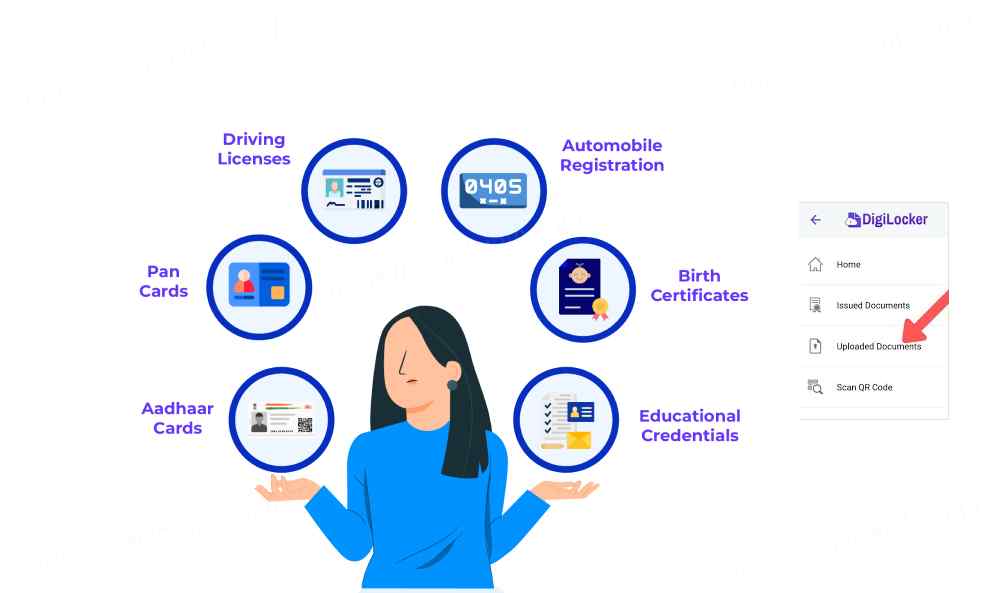
DigiLocker is a cloud-based application that allows Aadhaar cardholders to store and share digital versions of their identification papers. This includes a copy of your driver's licence.
When you sign up for DigiLocker, you get 1GB of storage space to preserve all of your certificates.
How to Connect a Driver's License to a Digilocker?
To submit your driver's licence to DigiLocker, simply follow these simple steps :- If you are not a registered member, go to the DigiLocker Website or app and choose "Sign Up." Existing account holders can use their existing credentials to log in.
- After logging in, go to the "Issued Documents" area and select "Get additional Issued Documents."
- Next, under "Central Government," pick " Ministry of Road Transport and Highways "
- Select "Driving Licence." Enter pertinent information such as your name, date of birth, and driver's licence number. Choose "Get Document."
Your document will be uploaded automatically by the system. You can go to this saved document whenever you want.
How Do I Get a Digilocker Driving License?
You may get your driver's licence from DigiLocker by following this step-by-step tutorial on the app or website :- Sign in with your credentials and go to the upper left corner to choose "Issue Documents."
- To download the driving licence, click the "PDF" button next to it.
Here are the methods to uploading your supplementary papers while using your Aadhaar card as identity
- Log in with your account and password, then click "Uploaded Documents."
- Depending on your needs, select "Documents" or "My Certificates."
- Select the driving licence's document to upload by clicking "Upload."
- Select a file format and save it.
- Top 5 Advantages of Having a Driver's License in Digilocker
- Individuals may be hesitant to upload important papers to an internet site.
However, there is no reason to be concerned. The federal government provides a 256-bit secure socket layer. As a result, the system securely encrypts your papers to offer your peace of mind.
Take a look at the other five advantages that DigiLocker provides to its users:- Paperless Office
- Simple Online Access
- Verification of QR Codes
- Secure and safe
- Services are processed quickly.
You do not need to carry your documentation, such as your driver's licence or Aadhaar card, with you at all times. You may view these papers whenever you want by logging into your DigiLocker account. You may also download the same for your convenience.
It might be difficult to recall a driver's licence number. You may get information from your driving licence online using this portal.
Officers can check the driving licence data by scanning the QR code provided on the mobile application.
After a certain amount of inactivity, the system automatically terminates the activity. Additionally, adding an Aadhaar card to establish an account adds another layer of protection.
If you apply for government services, the department may access your DigiLocker account to obtain the necessary documents. It saves you the time and trouble of going to government offices to submit a driver's licence or other paperwork. This shortens the application procedure by saving time and energy.
The portal has around 79.28 million people linked to it. EPFO members can get a UAN card and a Pension Payment Order in addition to submitting a driving licence to DigiLocker. Keep the aforementioned processes in mind if you want to take use of such internet services.