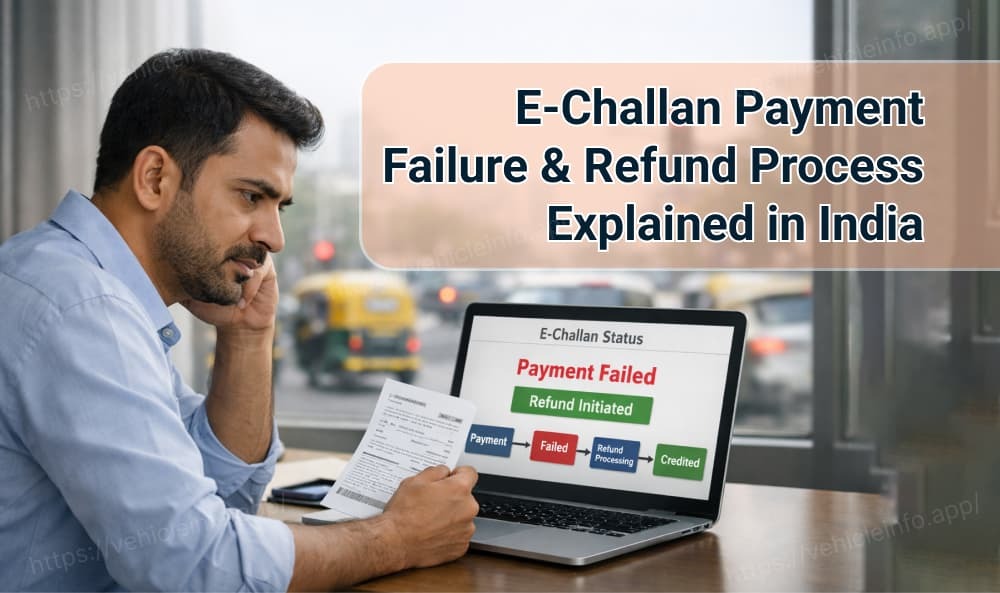
E-Challan Payment Failure & Refund Process Explained in India
30 December, 2025
If you’ve ever attempted to pay an e-challan online and the page froze, timed out, or showed an error after money was deducted, you’re not alone. With lakhs of digital challan payments processed daily across India, payment failures are far more common than most people realize.
The real question is: what actually happens after you click “Pay”? Does the money vanish? Will it come back automatically? Or do you need to raise a complaint?
How Does the E-Challan Payment Process Work?
Before understanding failures, it’s important to know how the e-challan payment flow operates.
An online challan payment involves three key systems:
- Traffic Police / Transport Department Server
- Payment Gateway
- Bank (UPI, Card, or Net Banking Provider)
Step-by-Step E-Challan Payment Flow
Payment Initiation
You enter your challan or vehicle details on the official traffic portal and click Pay Now.
Bank Authentication
The payment request is routed through UPI, debit/credit card, or net banking.
Transaction Confirmation
The bank sends a success or failure response to the payment gateway.
Receipt Generation
If successful, the challan is marked as paid and an e-receipt is generated and linked to your RC.
If any step fails, especially during the bank-to-gateway confirmation stage, the payment may fail even though your account shows a debit.
Common Reasons for E-Challan Payment Failures
Payment failures usually occur due to technical issues beyond the user’s control. The most common causes include:
Payment Gateway Timeout
High traffic on government portals or temporary server downtime can interrupt communication between the bank and the gateway.
Bank API Delays
Some banks take longer to confirm transactions, leading to amount deducted but challan not updated situations.
Session Expiry or Internet Disruption
Closing the browser, refreshing the page, or losing internet connectivity mid-transaction can break the payment session.
Each of these situations automatically triggers the e-challan refund process, though timelines may vary based on payment mode and state systems.
What Happens After an E-Challan Payment Fails?
When a transaction fails, it is not ignored or lost. Instead, it enters a pending reconciliation stage.
- The traffic police portal sends a reconciliation request to the payment gateway.
- The gateway checks with the bank’s nodal account.
- The bank verifies whether the amount was debited but not settled.
- Once confirmed, the e-challan refund process is initiated automatically.
Refunds typically take 2 to 10 working days, depending on the payment method used.
How to Check E-Challan Payment Status Online
Never assume your payment is lost. Always verify first.
Steps to Check Challan Status:
1. Check Challan Online via Vehicleinfo- Visit the Vehicleinfo website.
- Click the "Login" button and log in with a Mobile Number or Google.
- Click on "Check vehicle Challan".
- Select state.
- Enter your vehicle number and click the "search" button.
- View all your challans and their status related to your vehicle number.
- Visit Parivahan website.
- Click “Check Challan Status”
- Enter your Vehicle Number Challan Number or DL Number
- View your pending challans and online challan status
- Click “Pay Now” to complete your e challan payment online
If the challan still shows unpaid after 7 working days, contact the payment gateway’s customer support or the traffic department via email with your UTR or transaction reference number.
Reliable platforms like vehicleinfo’s e-challan check online service help users track challans with minimal payment disruptions.
E-Challan Refund Process & Timelines
| Payment Method | Refund Timeline | Handled By |
|---|---|---|
| UPI / Wallets | 2–3 working days | UPI App / Payment Processor |
| Debit / Credit Card | 5–10 working days | Bank / Payment Gateway |
| Net Banking | 5–10 working days | Respective Bank |
All refunds under the e-challan refund process are fully traceable through bank settlement records. The money never disappears, it is simply pending reconciliation.
How to Avoid E-Challan Payment Failures
- Use only official traffic or transport department portals
- Do not refresh or close the browser until payment confirmation appears
- Save your UTR or transaction ID immediately after payment
- Use a stable internet connection, preferably Wi-Fi
- Avoid making payments during peak hours if possible
FAQs
1. What is the e-challan refund process?
Ans: It is an automated system where failed or duplicate challan payments are identified and refunded back to the user’s account after bank reconciliation.
2. How long does an e-challan refund take?
Ans: UPI refunds take 2–3 working days, while card and net banking refunds can take up to 10 working days.
3. How can I check if my e-challan payment was successful?
Ans: You can check it on your state traffic police website or trusted e-challan check online platforms using your vehicle or challan number.
4. What if my money is deducted but the challan shows unpaid?
Ans: Wait for 5–7 working days. If it remains unpaid, contact the payment gateway or traffic department with your UTR number.
5. Can I get a refund for double payment?
Ans: Yes. Duplicate payments are automatically identified and refunded through the e-challan refund process.
Conclusion
Most e-challan payment failures are temporary technical issues, not financial losses. The e-challan refund process is designed to automatically trace and reverse failed or duplicate payments within a few working days.
By regularly using e-challan check online tools, keeping your transaction reference numbers safe, and paying only through verified portals, you can stay stress-free while navigating India’s increasingly digital traffic enforcement system.