How to Check Driving Licence Status (DL Status)?
09 July, 2024
According to the Motor Vehicles Act of 1988 driving without a valid license is a legal offense. If you are driving you must have a driving license. If you are caught driving without one you can be fined. You can apply online through the official transport department website to obtain a driver's license.
After applying for a driving license applicants can driving licence check online. This article explains exactly how to do that.
How to Check Driving Licence Status Online?
If you have applied for a new driving license (DL) or renewal of driving license and want to check the status of your application online you can follow these steps:
1. First you need to visit the official website of the transport department mParivahan.
2. Click on the menu above click on Driving License Related Services."
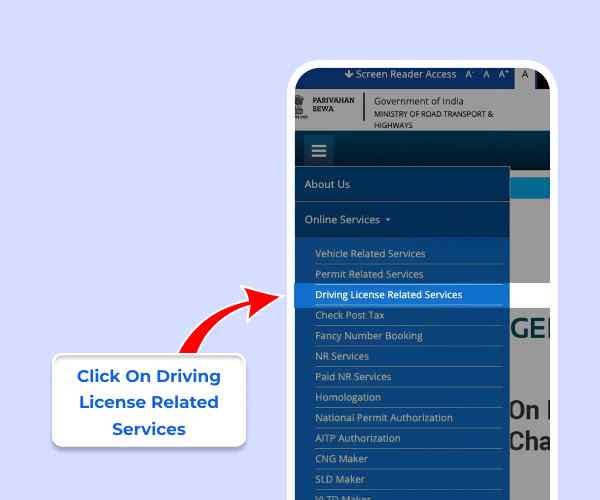
3. Click on "Online Services" in the top menu bar then select "Driving License Related Services".
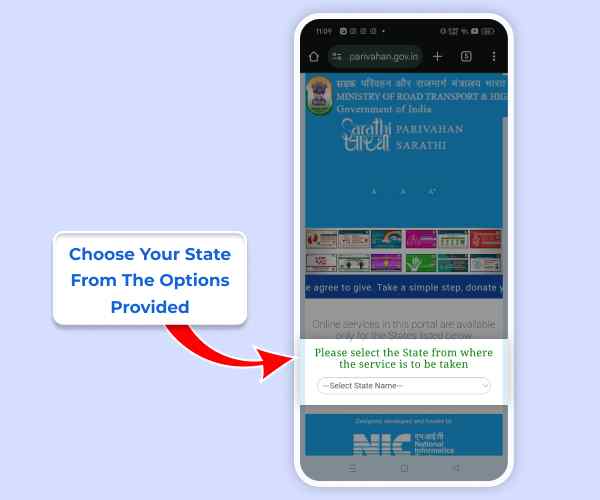
4. Choose your state from the options provided.
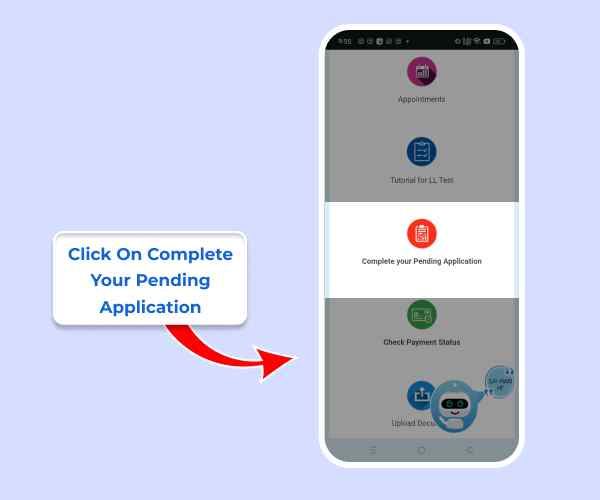
5. Click on "Complete your Pending Application".
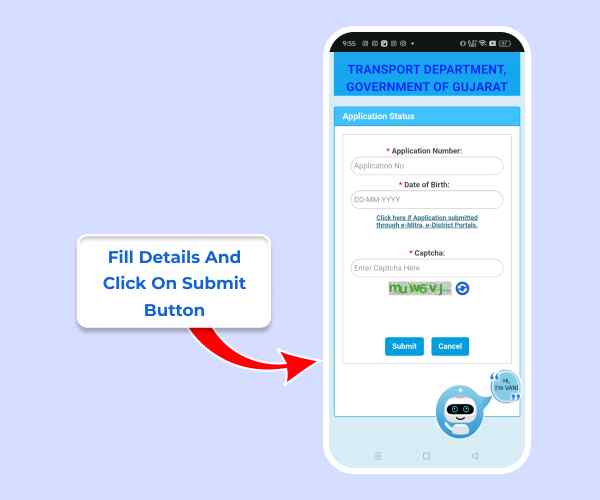
6. Enter your application number date of birth and captcha code then click "Submit".
Instantly check RTO Vehicle Information online.
Once submitted all the information related to your DL will appear and you can check the status.
Alternatively you can visit the mParivahan site and enter your driving license number date of birth and other details to check the status of your driving license.




